
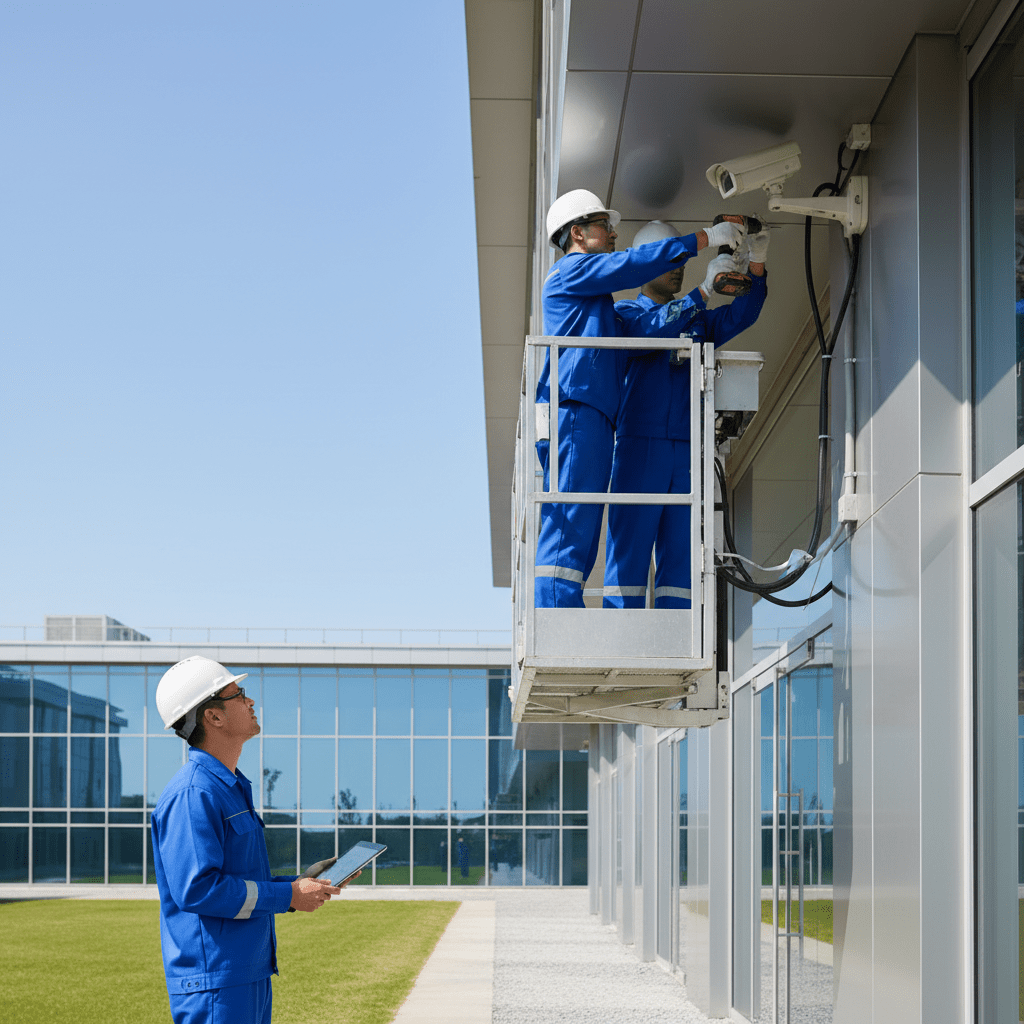
In today’s competitive business environment, security is paramount. A robust security camera system, professionally installed and maintained, is no longer a luxury but a necessity for protecting your assets, employees, and reputation. At AYS Security Services, we understand the unique security challenges businesses face in Mississauga, Brampton, and the surrounding GTA.
This guide will provide a comprehensive overview of commercial CCTV systems, covering everything from justifying the investment to navigating compliance and ensuring your system is future-proof. We’ll explore the key factors to consider when choosing a system, the benefits of professional installation, and how to ensure your surveillance practices align with privacy regulations.
Protecting Your Bottom Line: Why Expertly Installed Security Cameras are an Investment, Not Just an Expense
Many businesses view security cameras as simply an expense, but strategically deployed and expertly installed systems offer a significant return on investment (ROI). This ROI extends far beyond preventing theft and vandalism; it encompasses reduced liability, optimized operational efficiency, and enhanced peace of mind.
The ROI of Strategic Surveillance: Beyond Loss Prevention
The most obvious benefit of security cameras is loss prevention. Visible cameras act as a deterrent to potential thieves and vandals, significantly reducing instances of shoplifting, break-ins, and internal theft. Beyond deterrence, recorded footage provides crucial evidence for investigations, leading to the recovery of stolen assets and the apprehension of perpetrators. Consider a warehouse environment: poorly lit areas with blind spots are prime targets for theft. Installing high-resolution cameras with night vision capabilities in these areas provides constant surveillance, discouraging theft and allowing for quick incident response. Example: A distribution center in Brampton reported a 40% reduction in inventory shrinkage after implementing a professionally installed CCTV system with strategically placed cameras covering loading docks and high-value storage areas. The system paid for itself within 18 months through reduced losses alone.
Quantifying Reduced Liability and Insurance Premiums
Security cameras play a vital role in mitigating liability risks. Documenting accidents, injuries, and property damage can protect your business from fraudulent claims and lawsuits. For instance, slip-and-fall accidents are a common source of litigation. Having clear video evidence can help determine liability and prevent costly settlements. Moreover, many insurance providers offer discounts on premiums for businesses with comprehensive security systems, recognizing the reduced risk of incidents. Ensure your cameras capture key areas like entrances, exits, and high-traffic zones to maximize their effectiveness in liability protection. Choosing cameras with wide dynamic range (WDR) is crucial for capturing clear images in areas with varying light conditions, such as entrances with bright sunlight and dark shadows. Example: A Mississauga retail store reduced its insurance premiums by 15% after installing a new CCTV system that met the insurer’s requirements for coverage and clarity.
Optimizing Operational Efficiency through Enhanced Visibility
Security cameras aren’t just for security; they can also enhance operational efficiency. Monitoring employee performance, identifying bottlenecks in workflows, and ensuring compliance with safety protocols are all possible with a well-placed camera system. For example, in a manufacturing facility, cameras can monitor production lines to identify inefficiencies and ensure that employees are adhering to safety guidelines. Remote access to camera feeds allows managers to monitor operations from anywhere, enabling faster decision-making and improved resource allocation. Integrating security cameras with analytics software can further enhance operational efficiency by providing real-time data on customer traffic, employee behavior, and potential safety hazards. Example: A warehouse in Milton improved its order fulfillment speed by 20% after using security cameras to identify bottlenecks in the packaging process. Managers could remotely view the camera feeds and make adjustments to the workflow in real-time.
Choosing the Right Security Camera System for Your Business: A Comprehensive Checklist for 2026
Selecting the appropriate security camera system requires careful consideration of your specific needs and business environment. A one-size-fits-all approach is unlikely to provide adequate protection and can lead to wasted investment. This checklist will guide you through the key factors to consider when choosing a system for your business in 2026.
Defining Your Specific Security Needs: Identifying Vulnerabilities and Threats
Start by conducting a thorough security assessment of your business premises. Identify potential vulnerabilities, such as blind spots, poorly lit areas, unguarded entrances, and valuable assets that are at risk. Consider the types of threats you face, such as theft, vandalism, trespassing, and internal fraud. Analyze past incidents and near misses to identify patterns and areas of concern. Consult with your employees and security personnel to gather insights on potential security weaknesses. Example: A car dealership in Oakville identified theft of valuable car parts from their storage lot as a major security threat. They also identified a lack of visibility in the service bay as a potential safety hazard. By defining these specific needs, they could choose a camera system that addressed these particular concerns.
Camera Types: Comparing Features and Suitability for Different Environments (Warehouses, Retail, Offices)
Different camera types are suited for different environments. Bullet cameras are ideal for outdoor use and long-range surveillance. Dome cameras are more discreet and suitable for indoor environments. PTZ (Pan-Tilt-Zoom) cameras offer remote control over the camera’s viewing angle and zoom, providing maximum flexibility. Wireless cameras are easier to install but may be less secure than wired cameras. Consider the specific requirements of each area you need to monitor when choosing camera types. For a warehouse, weatherproof bullet cameras with infrared night vision are ideal for perimeter security. For a retail store, dome cameras provide a more discreet solution for monitoring customer activity. In an office environment, IP cameras with high resolution are suitable for monitoring employee workspaces and common areas. See more about maximizing business security with Commercial CCTV Mississauga.
Essential Features to Consider: Resolution, Night Vision, Weatherproofing, Pan-Tilt-Zoom (PTZ)
Several essential features should be considered when evaluating security cameras. Resolution determines the clarity of the video footage; higher resolution cameras provide sharper images and greater detail. Night vision allows cameras to capture clear images in low-light conditions. Weatherproofing is essential for outdoor cameras, protecting them from rain, snow, and extreme temperatures. Pan-Tilt-Zoom (PTZ) cameras offer remote control over the camera’s viewing angle and zoom, providing maximum flexibility and coverage. Other important features to consider include wide dynamic range (WDR) for handling varying light conditions, motion detection for triggering alerts, and audio recording for capturing sound. For example, a camera with 4K resolution provides significantly more detail than a camera with 1080p resolution. A camera with an IP67 weatherproof rating is suitable for outdoor use in harsh weather conditions.
Scalability and Future-Proofing: Planning for Growth and Technology Upgrades
Choose a security camera system that can scale with your business as it grows. Ensure that the system can accommodate additional cameras and features as your needs evolve. Consider the compatibility of the system with future technology upgrades, such as advanced analytics and cloud storage. A modular system that allows for easy expansion and upgrades is a smart investment for long-term security. Avoid proprietary systems that lock you into a specific vendor and limit your options for future upgrades. Opt for systems that support industry-standard protocols and are compatible with a wide range of cameras and devices. Consider a network video recorder (NVR) that offers sufficient storage capacity and processing power to handle your current and future camera needs. Think about also how CCTV can integrate with other security systems, such as Access Control Systems: Scalable Security for GTA Businesses.
Professional CCTV Camera Installation: What to Expect from AYS Security Services
Professional installation is crucial for ensuring the optimal performance and reliability of your security camera system. At AYS Security Services, we provide comprehensive installation services, from site assessment and system design to structured cabling and integration with existing security systems.
Site Assessment and Custom System Design
Our installation process begins with a thorough site assessment to identify your specific security needs and vulnerabilities. We’ll work with you to develop a custom system design that maximizes coverage and minimizes blind spots. Our experienced technicians will consider factors such as lighting conditions, traffic patterns, and potential obstructions when determining camera placement. We’ll also assess your existing infrastructure and recommend any necessary upgrades or modifications. Our goal is to design a system that meets your unique requirements and provides comprehensive protection for your business. We prioritize working closely with our clients to understand their concerns and tailor the system to their specific needs. Example: For a large warehouse in Guelph, our assessment revealed a need for high-resolution cameras with long-range infrared capabilities to cover the expansive outdoor storage areas. We also recommended PTZ cameras for monitoring the loading docks and entrances.
Structured Cabling and Power over Ethernet (PoE) Implementation
Proper cabling is essential for ensuring the reliable transmission of video signals and power to your cameras. We use structured cabling techniques to ensure a clean, organized, and easily maintainable installation. Power over Ethernet (PoE) technology allows us to power cameras and transmit data over a single cable, simplifying installation and reducing costs. Our technicians are skilled in running cables through walls, ceilings, and conduits, ensuring a professional and aesthetically pleasing installation. We use high-quality cables and connectors to minimize signal loss and ensure optimal performance. We also label all cables and connections for easy identification and troubleshooting. PoE simplifies your security installation. Ready-Made Solutions: Colsent’s Custom Development Advantage could be of assistance.
Seamless Integration with Existing Security Systems (Alarms, Access Control)
We can seamlessly integrate your security camera system with your existing security systems, such as alarms and access control systems. This integration allows for a unified security solution that provides comprehensive protection for your business. For example, we can configure your alarm system to trigger camera recording when an alarm is activated. We can also integrate your access control system with your security cameras to verify the identity of individuals entering your premises. This integration provides enhanced security and allows for more efficient management of your security systems. Example: We integrated a security camera system with an existing access control system at a manufacturing plant in Acton. This allowed the security team to remotely verify the identity of individuals requesting access to the building and to monitor access points in real-time.
Navigating Security Camera Compliance: Privacy Laws and Best Practices in Mississauga, Brampton, and Beyond
Operating security cameras responsibly and legally requires a thorough understanding of privacy laws and best practices. In Ontario, the Personal Information Protection and Electronic Documents Act (PIPEDA) governs the collection, use, and disclosure of personal information, including video footage.
Understanding PIPEDA and Its Implications for Video Surveillance
PIPEDA requires businesses to obtain consent before collecting personal information, including video footage. However, there are exceptions to this requirement, such as when the collection is necessary for the legitimate business interests of the organization and the benefits outweigh the privacy risks. Businesses must also be transparent about their video surveillance practices and inform individuals that they are being recorded. This can be achieved through clearly visible signage. It’s crucial to conduct a privacy impact assessment (PIA) to identify and mitigate potential privacy risks associated with your video surveillance system. Consult with a legal professional to ensure that your surveillance practices comply with PIPEDA and other applicable privacy laws. Example: A company operating in Brampton ensures compliance by posting clear signage at all entrances informing individuals that they are being recorded. They also have a written policy outlining their video surveillance practices and data retention policies, available to employees and customers.
Employee and Customer Notification Requirements
Employees and customers have the right to know that they are being recorded. Businesses must provide clear and conspicuous notice of their video surveillance practices. This can be achieved through signage, employee handbooks, and website privacy policies. The notice should clearly state the purpose of the surveillance, the types of information being collected, and how the information will be used and disclosed. Employees should be provided with a copy of the company’s video surveillance policy and trained on their rights and responsibilities. Businesses should also be prepared to answer questions from employees and customers about their video surveillance practices. Example: A retail store in Mississauga includes a statement about its video surveillance practices in its employee handbook and posts signs at all entrances stating that the premises are under video surveillance. They also provide employees with training on the company’s video surveillance policy and their rights under PIPEDA.
Data Retention Policies and Security Camera Footage Management
Establish a clear data retention policy that specifies how long video footage will be stored and how it will be disposed of. Retain footage only for as long as necessary to achieve the purpose for which it was collected. Securely store and protect video footage from unauthorized access, use, or disclosure. Implement access controls to limit who can view and manage video footage. Regularly review and update your data retention policy to ensure that it remains compliant with applicable privacy laws and best practices. Dispose of video footage securely, such as by overwriting or physically destroying the storage media. Document your data retention policy and procedures to demonstrate compliance with privacy regulations. Example: A warehouse in Georgetown has a data retention policy that specifies that video footage will be stored for 30 days and then automatically overwritten. Access to the footage is limited to authorized security personnel who have been trained on privacy laws and data security procedures. The data is kept securely, and your business operations should remain private and secure.
Warehouse Security Cameras: Mitigating Inventory Loss and Enhancing Workplace Safety
Warehouse security cameras are critical for protecting inventory, ensuring employee safety, and maintaining operational efficiency. A well-designed surveillance system acts as a deterrent to theft, provides valuable evidence in case of incidents, and offers insights into process improvements. The key is strategic planning and professional installation to maximize coverage and effectiveness. Furthermore, integrating your camera system with Access Control for Warehouses: Enhanced Security creates a robust security posture.
Strategic Camera Placement for Comprehensive Coverage
Strategic camera placement is paramount for comprehensive warehouse coverage. Focus on entry and exit points, loading docks, inventory storage areas, and high-traffic zones. Consider camera types: dome cameras offer discreet monitoring, bullet cameras provide long-range visibility, and PTZ (pan-tilt-zoom) cameras enable remote control and detailed inspection. Mounting height and angle should minimize blind spots. For example, placing cameras above loading docks prevents obstruction from forklifts or stacked pallets. Ensure adequate lighting to maintain image quality, especially in low-light areas. Also, use weather-rated cameras for outdoor areas. Remember to check for possible obstructions in the camera’s view, such as racking systems or large machinery.
Monitoring High-Value Assets and Shipping/Receiving Areas
High-value assets require focused surveillance. Use high-resolution cameras with clear zoom capabilities to monitor these areas. Integrate cameras with your inventory management system to trigger alerts when specific items are moved or accessed. Shipping and receiving areas are vulnerable points. Place cameras to capture license plates of incoming and outgoing vehicles and to monitor the handling of packages. Implement video analytics to detect anomalies, such as unauthorized access or unusual movement patterns. Example: A camera focused on the shipping manifest station can quickly spot discrepancies and deter fraudulent activities. This can be significantly improved by integrating with Commercial CCTV Mississauga: Maximize Business Security systems for enhanced monitoring.
Preventing Internal Theft and Unauthorized Access
Internal theft can be a significant problem for warehouses. Visible cameras act as a deterrent. Install cameras in areas where employees handle inventory, such as picking and packing stations. Conduct regular audits of camera footage to identify suspicious behavior. Implement a clear policy regarding employee monitoring, ensuring compliance with privacy regulations. Integrate the camera system with Access Control Systems: Scalable Security for GTA Businesses. For example, if an employee attempts to access a restricted area without authorization, both the access control system and the camera system can trigger an alert. Avoid placing cameras in private areas such as restrooms or break rooms. Internal theft, if caught early, can save a company significant money. Example: A warehouse noticed a high number of missing electronics. After installing cameras and informing employees of their presence, internal theft decreased by 60% in three months.
Retail Security Cameras: Preventing Shoplifting, Protecting Employees, and Improving Customer Experience
Retail security cameras are essential for loss prevention, employee safety, and enhancing the overall customer experience. A well-designed system can deter shoplifters, provide evidence of incidents, and improve operational efficiency. Integrate your camera system with your point-of-sale (POS) system to detect and prevent fraudulent transactions. Consider the customer’s perspective when placing cameras to avoid creating a sense of unease or intrusion.
Loss Prevention Strategies: Deterring Theft and Identifying Suspicious Activity
Visible cameras are a powerful deterrent to shoplifting. Place cameras at store entrances, exits, and high-theft areas, such as clothing racks, electronics displays, and jewelry counters. Use dome cameras for wide-angle coverage and PTZ cameras for targeted surveillance. Implement video analytics to detect suspicious behavior, such as loitering, unusual movements, or attempts to conceal merchandise. Train employees to recognize and report suspicious activity. Example: Implementing a “greet and observe” policy, where employees greet customers and subtly monitor their behavior, can help deter shoplifters. A retail store in Mississauga saw a 25% reduction in shoplifting incidents after implementing a visible camera system combined with employee training. Remember to clearly post signage indicating the presence of security cameras. Always ensure compliance with local privacy laws regarding video surveillance.
Point-of-Sale (POS) Integration for Enhanced Transaction Monitoring
Integrating security cameras with your POS system provides a powerful tool for fraud prevention. This integration allows you to overlay transaction data onto the camera footage, making it easy to identify suspicious transactions, such as excessive discounts, voids, or returns. Use cameras with clear audio capabilities to capture conversations at the POS. Regularly review POS transaction data and camera footage to identify discrepancies. Example: If a cashier repeatedly gives excessive discounts, the POS integration will highlight these transactions, allowing you to review the corresponding camera footage and determine if fraud is occurring. POS integration can also help resolve customer disputes by providing visual evidence of transactions. Consider using a system that allows you to search for specific transactions and quickly access the corresponding video footage.
Creating a Safe and Secure Shopping Environment
Security cameras not only deter theft but also contribute to a safer and more secure shopping environment for both employees and customers. Place cameras in parking lots to deter car theft and vandalism. Monitor store aisles and common areas to identify potential safety hazards, such as spills or obstructions. Implement panic buttons that, when activated, trigger camera recordings and alerts. Ensure adequate lighting throughout the store and parking lot to improve visibility. Example: A well-lit parking lot with visible security cameras can deter criminal activity and make customers feel safer. A retail store implemented a system of clearly marked emergency exits and regular safety training drills, which significantly improved employee preparedness for potential emergencies. Providing a safe and secure environment builds customer trust and loyalty.
Office Security Cameras: Enhancing Employee Safety and Protecting Sensitive Information
Office security cameras provide a valuable tool for enhancing employee safety, protecting sensitive information, and deterring criminal activity. A professionally installed system can provide peace of mind and ensure a secure working environment. Consider the privacy concerns of employees when placing cameras, and always comply with local privacy regulations.
Restricted Area Monitoring and Access Control
Restricted areas, such as executive offices, HR departments, and research and development labs, require heightened security measures. Implement Access Control Systems: Streamline GTA Business Security and integrate them with security cameras. Use cameras with motion detection to monitor these areas after hours. Implement a system of authorized access badges that trigger camera recordings when used. Regularly review access logs and camera footage to identify unauthorized access attempts. Example: If an employee attempts to access a restricted area without the proper authorization, the camera system can send an alert to security personnel. Consider using cameras with facial recognition technology to verify the identity of individuals entering restricted areas. Clearly mark restricted areas with appropriate signage.
After-Hours Surveillance and Intrusion Detection
After-hours surveillance is crucial for protecting your office from burglaries and vandalism. Implement a security system with motion sensors, door and window sensors, and security cameras. Integrate the system with a professional monitoring service that can respond to alarms in real-time. Use cameras with infrared capabilities to provide clear images in low-light conditions. Example: A security system can detect a broken window and trigger an alarm, notifying the monitoring service and simultaneously recording the event with security cameras. Consider using a system with remote access capabilities, allowing you to view camera footage from your smartphone or computer. Regularly test your security system to ensure it is functioning properly.
Protecting Data Centers and Server Rooms
Data centers and server rooms contain sensitive information that requires maximum protection. Implement strict access control measures, including biometric authentication and multi-factor authentication. Use cameras with high resolution and clear zoom capabilities to monitor these areas. Implement environmental monitoring systems to detect temperature and humidity fluctuations. Regularly review access logs and camera footage to identify suspicious activity. Example: If a server room’s temperature exceeds a safe threshold, the environmental monitoring system can send an alert, and security cameras can capture the event. Ensure that your data center is protected from physical threats, such as fire, flood, and power outages. Consider using a redundant power supply to ensure continuous operation of your security systems.
Multi-Location Security Solutions: Centralized Management and Remote Monitoring for Businesses Across the GTA
For businesses with multiple locations across the Greater Toronto Area (GTA), a centralized security solution is essential for maintaining consistent security protocols and streamlining management. A well-designed system allows you to monitor all locations from a single platform, improving efficiency and reducing costs. Consider a system that offers scalable solutions, allowing you to easily add or remove locations as your business grows. It’s also essential to have proper structured cabling with PoE (Power over Ethernet) for both security and reliability. Consider consulting with a professional cabling company that has a history of completing large and demanding installations.
Scalable Systems for Consistent Security Protocols
A scalable security system allows you to easily add or remove cameras and other security devices as your business needs change. Ensure that your system is compatible with a wide range of devices and technologies. Implement standardized security protocols across all locations to ensure consistent security practices. Provide training to employees at all locations on security procedures and best practices. Example: A retail chain can easily add new cameras to its security system as it opens new stores, maintaining consistent security protocols across all locations. Consider using a cloud-based security system that offers remote management and automatic updates. Regularly review your security protocols and update them as needed to address emerging threats.
Remote Access and Mobile Viewing Capabilities
Remote access and mobile viewing capabilities allow you to monitor your business from anywhere, at any time. Use a system that offers a user-friendly mobile app for easy access to camera footage and security alerts. Implement a system with push notifications that alert you to suspicious activity. Ensure that your system is secured with strong passwords and encryption to prevent unauthorized access. Example: A business owner can view live camera footage from their smartphone while traveling, ensuring that their business is secure. Regularly test your remote access capabilities to ensure they are functioning properly. Consider using a system with two-factor authentication for added security.
Streamlining Security Management Across Multiple Sites
Centralized security management streamlines security operations and reduces administrative overhead. Use a system that offers a single dashboard for managing all locations. Implement automated reporting capabilities to track security incidents and performance metrics. Provide centralized support for all locations to ensure consistent service. Example: A security manager can view all security alerts from all locations on a single dashboard, allowing them to quickly identify and respond to potential threats. Integrate your security system with other business systems, such as HR and payroll, to improve efficiency and reduce administrative overhead. Regularly review your security management processes and optimize them for efficiency and effectiveness. Consider using security consultants such as WordPress Web Design: A Growth Partner, Not Just a Vendor to ensure everything is managed securely and efficiently.
The Hidden Costs of DIY Security Camera Installation: Why Professional Installation is Essential
While the initial cost savings of a do-it-yourself (DIY) security camera installation might seem appealing, businesses often face significant hidden costs and potential risks. Beyond the purchase price of the equipment, consider the time investment required for planning, installation, configuration, and ongoing maintenance. This is especially crucial for commercial CCTV Mississauga installations. Improper installation can lead to blind spots, reduced image quality, network vulnerabilities, and even legal liabilities. A professional installation ensures optimal camera placement to cover critical areas like entrances, exits, and high-value assets, mitigating the risk of theft, vandalism, and fraudulent claims. Furthermore, poorly configured systems can be easily hacked, compromising sensitive business data. Investing in professional installation provides peace of mind knowing that your security system is correctly installed, configured, and protected from potential threats. For example, a retail store might think it’s saving money by installing cameras themselves, but miss key angles that could prove invaluable during a shoplifting incident.
Avoiding Common Installation Errors and Technical Issues
One of the most frequent pitfalls of DIY installations is incorrect wiring, especially with Power over Ethernet (PoE) systems. Improperly terminated cables can lead to intermittent connectivity, reduced power supply, and even damage to the cameras or network switches. Similarly, failing to properly configure network settings can result in IP address conflicts, limited bandwidth, and remote access issues. Professional installers possess the expertise to handle structured cabling, network configuration, and system integration, ensuring seamless operation and optimal performance. They also understand the importance of grounding and surge protection to safeguard equipment from electrical damage. Often, DIY setups use inadequate mounting hardware, leading to cameras shifting or falling, especially in outdoor environments. Consider the expertise needed to ensure proper weatherproofing and concealment of wiring to prevent tampering.
Ensuring Proper Camera Placement and Coverage
Strategic camera placement is critical for effective surveillance. A professional security assessment will identify vulnerable areas and recommend optimal camera locations to maximize coverage and minimize blind spots. This involves considering factors such as lighting conditions, viewing angles, and potential obstructions. For example, a warehouse security cameras installation requires careful planning to cover loading docks, storage areas, and perimeter fences. Professionals use specialized tools and techniques to accurately determine the best camera angles and focal lengths, ensuring clear and detailed images. They also understand the legal requirements regarding camera placement, such as avoiding privacy violations and adhering to signage regulations. Furthermore, integrating cameras with Access Control Systems: Streamline GTA Business Security can enhance security and streamline operations.
Minimizing Downtime and Maximizing System Reliability
Downtime in a security system can leave a business vulnerable to threats. A professional installation includes thorough testing and configuration to ensure system stability and reliability. Professionals conduct rigorous tests to identify and resolve any potential issues before they escalate. They also provide ongoing maintenance and support to promptly address any technical problems that may arise. A managed service provider can offer remote monitoring, proactive maintenance, and rapid response times, minimizing downtime and maximizing system uptime. This proactive approach helps prevent costly repairs and ensures that your security system is always functioning optimally. Neglecting routine maintenance, like cleaning lenses and checking connections, can lead to performance degradation and reduced image quality over time.
Security System Upgrades and Retrofits: Modernizing Your Existing Surveillance Infrastructure for Optimal Performance
Upgrading or retrofitting an existing security system can significantly enhance its capabilities and effectiveness. Outdated analog systems often lack the clarity, features, and scalability of modern IP-based solutions. Upgrading to a high-resolution IP camera system provides sharper images, advanced analytics, and seamless integration with other security systems, such as Access Control Systems: Secure Your GTA Business Now. A strategic retrofit can leverage existing cabling infrastructure, minimizing installation costs and disruption. However, a thorough assessment is essential to determine the compatibility of existing infrastructure with new equipment. Furthermore, modern systems offer remote viewing capabilities, allowing business owners to monitor their premises from anywhere at any time. Regular upgrades ensure that your security system stays ahead of evolving threats and technological advancements. A good example is upgrading a fuzzy analog system at a car dealership to high-definition IP cameras to better record license plates of cars entering and exiting the lot.
Replacing Legacy Analog Systems with High-Resolution IP Cameras
The transition from analog to IP cameras offers numerous advantages. IP cameras provide significantly higher resolution, resulting in clearer and more detailed images. This enhanced image quality is crucial for identifying suspects, reading license plates, and providing irrefutable evidence. IP cameras also support advanced features such as remote viewing, pan-tilt-zoom (PTZ) functionality, and video analytics. Furthermore, IP cameras can be easily integrated with existing network infrastructure, simplifying installation and management. Replacing analog systems requires careful planning to ensure compatibility with existing cabling and power supplies. Professional installers can assess your existing infrastructure and recommend the most cost-effective and efficient upgrade path. A phased approach may be necessary to minimize disruption and ensure a smooth transition. A local Mississauga manufacturer, for instance, needed to upgrade from a grainy analog system to better monitor production line efficiency and reduce defects.
Leveraging Advanced Analytics and AI-Powered Features
Modern security systems offer a wide range of advanced analytics and AI-powered features that can enhance security and improve operational efficiency. These features include motion detection, facial recognition, license plate recognition, and perimeter intrusion detection. AI-powered analytics can automatically detect suspicious activity and alert security personnel in real-time. This reduces the reliance on manual monitoring and enables proactive response to potential threats. Furthermore, video analytics can be used to track customer traffic patterns, optimize store layouts, and improve marketing effectiveness. However, effectively implementing these features requires careful configuration and calibration. Professional installers can ensure that the analytics are properly configured and optimized for your specific business needs. Incorrect configurations can result in false alarms and reduced effectiveness.
Improving Network Infrastructure for Enhanced Security
A robust and reliable network infrastructure is essential for supporting a modern IP-based security system. Insufficient bandwidth, network congestion, and outdated network hardware can significantly impact system performance. Upgrading your network infrastructure may involve installing new network switches, routers, and cabling. A professional network assessment can identify bottlenecks and recommend appropriate upgrades. Furthermore, implementing network segmentation can improve security by isolating the security system from other network devices. This prevents unauthorized access and reduces the risk of cyberattacks. Secure wireless networks using WPA3 encryption are crucial for wireless camera deployments. Consider partnering with a reputable IT service provider to ensure your network infrastructure is properly configured and secured. WordPress Web Design: A Growth Partner, Not Just a Vendor offers insights on building strong digital infrastructure.
Troubleshooting Common Security Camera Issues: A Practical Guide for Business Owners in Mississauga and Surrounding Areas
Even with professional installation, security camera systems can experience occasional issues. Knowing how to troubleshoot common problems can save time and money. This guide provides practical tips for addressing connectivity problems, image quality issues, and camera malfunctions. It’s important to note that attempting complex repairs without proper training can void warranties or cause further damage. In such cases, contacting a qualified technician is always recommended. Regular system checks are crucial for identifying potential problems early on and preventing major disruptions. For example, a common issue is a camera losing connection to the network due to a faulty cable or network switch. Understanding basic troubleshooting steps can help quickly resolve these issues. Access to Commercial CCTV Mississauga is vital to keeping your systems operational.
Addressing Connectivity Problems and Network Issues
Connectivity problems are among the most common issues faced by security camera systems. These problems can manifest as cameras dropping offline, intermittent video feeds, or inability to access the system remotely. The first step in troubleshooting connectivity problems is to check the network connection. Ensure that the cameras are properly connected to the network switch or router and that the network cables are securely plugged in. Verify that the cameras have valid IP addresses and that there are no IP address conflicts. Use network diagnostic tools to identify any network bottlenecks or connectivity issues. If the problem persists, try restarting the cameras, network switch, and router. Ensure the cameras have sufficient bandwidth allocated to them. Sometimes, firmware updates can resolve connectivity issues; check the manufacturer’s website for the latest updates. Furthermore, consider checking the firewall settings to ensure that the necessary ports are open for the security camera system.
Resolving Image Quality Issues and Camera Malfunctions
Poor image quality can significantly impact the effectiveness of a security camera system. Common image quality issues include blurry images, distorted colors, and low light performance. Check the camera lens for dirt, dust, or smudges. Clean the lens with a soft, lint-free cloth. Adjust the camera’s focus and zoom settings to optimize image clarity. Ensure that the camera is properly positioned and that there are no obstructions in the field of view. Check the camera’s lighting settings and adjust them to match the ambient lighting conditions. For example, enabling infrared (IR) illumination can improve low light performance. If the problem persists, the camera may be malfunctioning and require repair or replacement. Examine the camera’s housing for any physical damage, such as cracks or water leaks.
Implementing Preventative Maintenance for Long-Term Reliability
Regular preventative maintenance is essential for ensuring the long-term reliability and performance of a security camera system. This includes regularly cleaning camera lenses, checking cable connections, and updating firmware. Inspect the cameras for any signs of physical damage or wear and tear. Test the system’s recording capabilities to ensure that footage is being properly recorded and stored. Regularly review security footage to identify any potential security vulnerabilities or areas for improvement. Schedule regular professional maintenance visits to have a qualified technician inspect the system and perform any necessary repairs or adjustments. Keep a log of all maintenance activities and repairs. A well-maintained system is less likely to experience unexpected failures and will provide more reliable security protection over the long term. Routine checks, like ensuring no plants are obstructing the camera view, are simple yet effective preventative measures.
In summary, professional security camera installation offers long-term value through minimized errors, strategic placement, and proactive maintenance. Upgrading older systems with modern IP cameras and advanced analytics improves security and operational efficiency. Addressing common issues and implementing preventative maintenance further ensures reliable performance and a strong return on investment for your business’s security infrastructure.