As your business grows in the Greater Toronto Area, so do your security needs. A system that adequately protected your small retail shop five years ago might leave your expanding warehouse vulnerable today. Investing in a scalable business security camera system is no longer a luxury; it’s a necessity for sustained success and peace of mind.
This guide provides a comprehensive overview of designing and implementing a scalable CCTV solution, ensuring your business is prepared for future growth and evolving security challenges. We’ll cover everything from selecting the right cameras and network equipment to the importance of professional installation and structured cabling. By understanding these key factors, you can create a security infrastructure that adapts to your changing needs and provides long-term value.
Future-Proof Your Business: Security Systems Designed for Expansion in 2026
Why Scalability Matters for Growing GTA Businesses
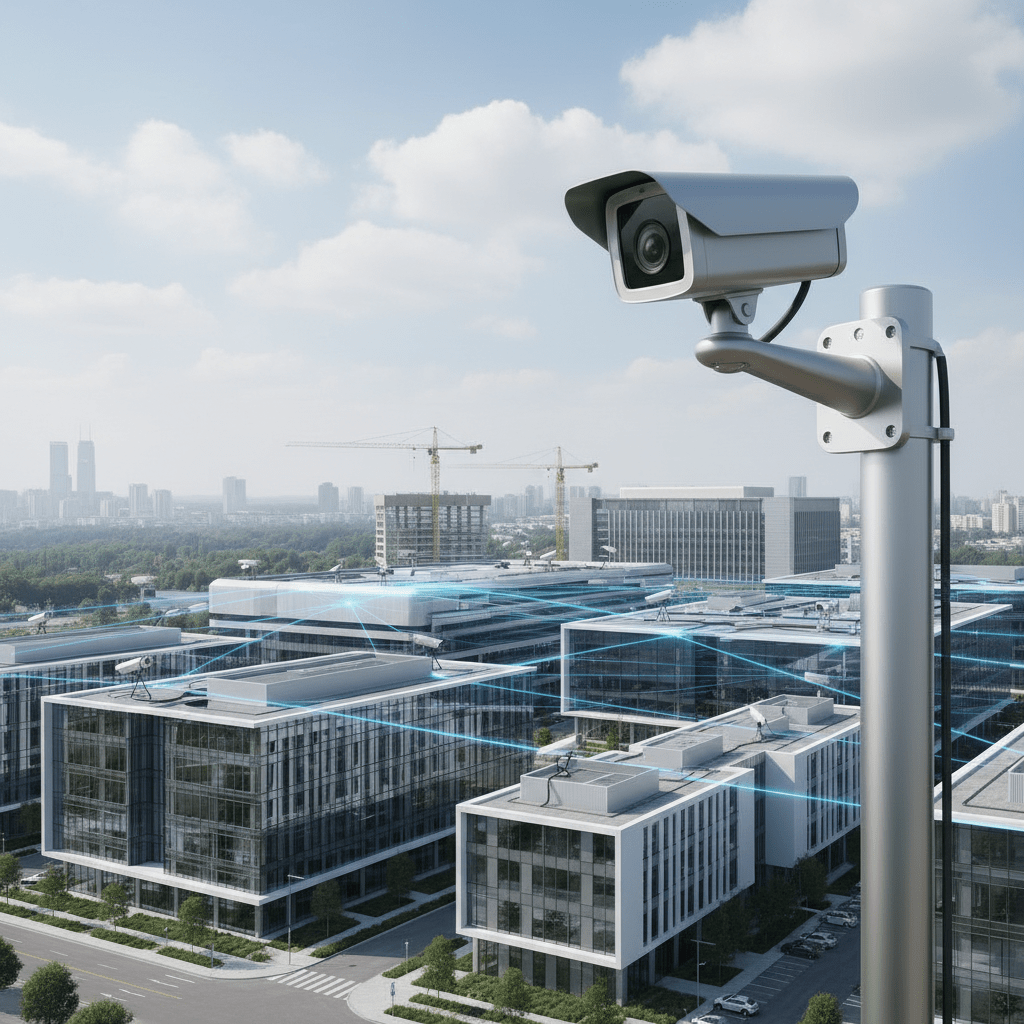
Scalability in a business security system refers to its ability to easily adapt and expand as your business grows. For GTA businesses, this is crucial because the region is dynamic and competitive. A system that can’t handle new locations, increased employee counts, or evolving security threats will quickly become obsolete, costing you time and money in the long run. Consider a distribution company in Brampton adding a new loading dock – their existing camera system may not provide adequate coverage, leading to blind spots and increased risk of theft. Scalability ensures that the system can be expanded to monitor the new area seamlessly, minimizing disruption and maintaining comprehensive security. Failing to plan for scalability can lead to a patchwork of disparate systems that are difficult to manage and integrate, ultimately weakening your overall security posture.
Common Security Pain Points as Businesses Scale
As businesses scale, they often encounter several security pain points: increased internal theft, difficulty managing access control across multiple locations, and inadequate video storage capacity. For example, a Mississauga-based manufacturing company might experience a rise in inventory shrinkage as their workforce expands. A scalable security system can address this by adding cameras in critical areas, implementing advanced analytics to detect suspicious activity, and integrating with access control systems to restrict unauthorized entry. Similarly, a retail chain with multiple locations in Oakville and Guelph needs a centralized system that allows them to monitor all stores remotely and manage user permissions efficiently. Without scalability, managing security across multiple locations becomes a logistical nightmare, increasing the risk of security breaches and operational inefficiencies.
Understanding the Components of a Scalable Business Security Camera System
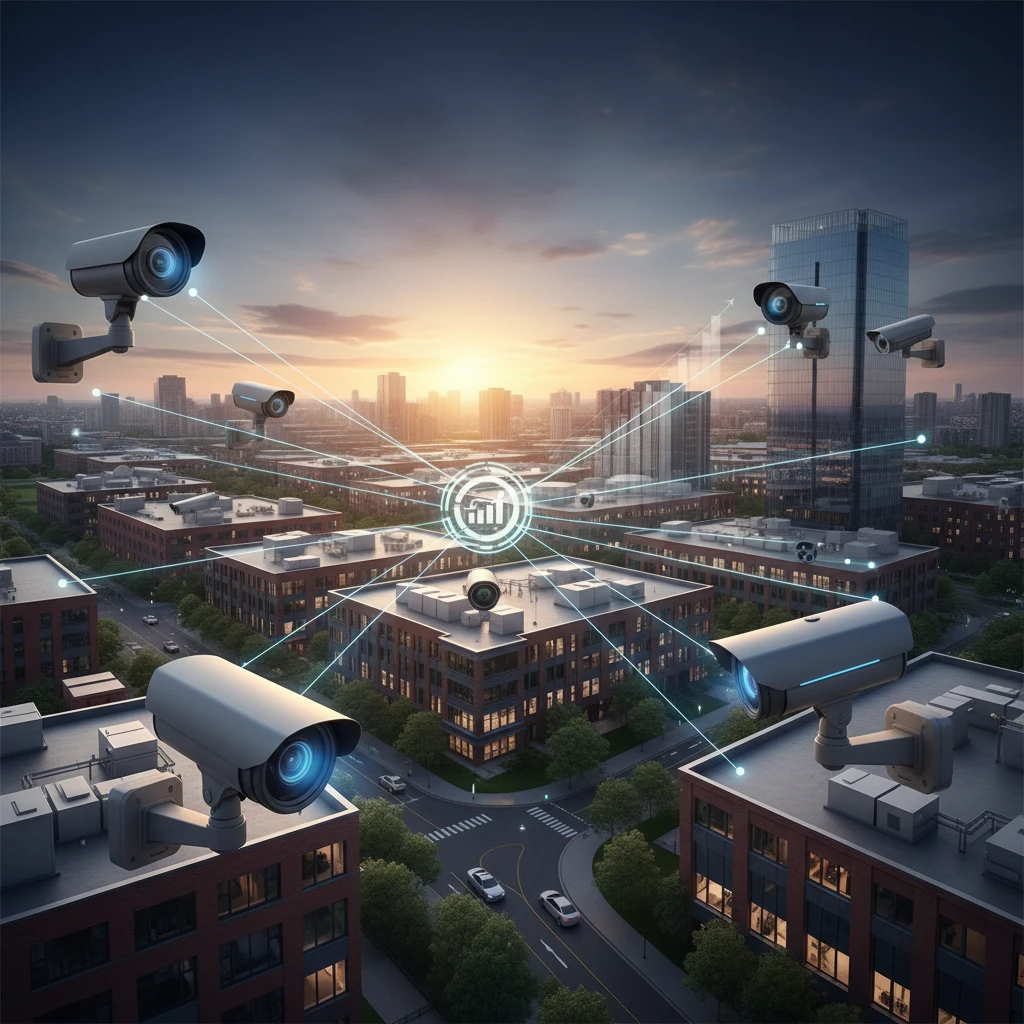
IP Cameras vs. Analog Systems: Why IP is the Standard for Scalability
IP (Internet Protocol) cameras have become the standard for scalable business security solutions, offering superior flexibility and integration capabilities compared to older analog systems. Analog systems are limited by their coaxial cable infrastructure, requiring direct connections to a DVR (Digital Video Recorder) and offering limited resolution. IP cameras, on the other hand, transmit data over a network, allowing for easier expansion and integration with other systems. For instance, a warehouse in Milton can easily add more IP cameras to their existing network without the need for extensive rewiring. Furthermore, IP cameras offer higher resolution, advanced features like remote access, and integration with video analytics software, enabling proactive security monitoring. Trying to scale an analog system often requires a complete overhaul, making IP cameras a far more cost-effective and future-proof choice. The ability to leverage existing network infrastructure and Power over Ethernet (PoE) further simplifies installation and reduces costs.
Network Video Recorders (NVRs): Choosing the Right Capacity
The Network Video Recorder (NVR) is the central hub for recording and managing video footage from your IP cameras. Choosing the right NVR capacity is crucial for scalability. Consider factors like the number of cameras, resolution, frame rate, and retention period when determining your storage needs. A general rule of thumb is to overestimate your initial storage requirements to accommodate future expansion. For example, a dealership in Georgetown with 16 cameras recording at 1080p might initially need a 16TB NVR, but planning for potential upgrades to 4K cameras or adding more cameras would warrant a larger capacity, such as 32TB. Many NVRs offer the ability to add additional hard drives as needed, providing further scalability. It’s also essential to consider the NVR’s processing power, ensuring it can handle the workload of recording and analyzing video from all cameras simultaneously. Selecting an NVR with ample capacity and processing power is an investment in the long-term reliability and scalability of your security system.
PoE Switches and Structured Cabling: The Backbone of a Reliable System
Power over Ethernet (PoE) switches provide both power and data connectivity to your IP cameras through a single Ethernet cable, simplifying installation and reducing cabling costs. Structured cabling is the foundation of a reliable and scalable network infrastructure. It involves installing a standardized cabling system that can support current and future bandwidth requirements. For instance, a multi-story office building in Acton needs a robust structured cabling system to ensure reliable connectivity for all cameras, access control points, and other network devices. Using Cat6 or Cat6a cabling ensures sufficient bandwidth for high-resolution video and future upgrades. Properly planned and installed structured cabling not only improves network performance but also makes it easier to add new devices and expand the system as your business grows. A well-designed PoE and structured cabling system is the backbone of a reliable and scalable security solution.
Key Considerations When Selecting Business Security Cameras for Scalability
Resolution and Image Quality: Planning for Future Monitoring Needs
Resolution and image quality are paramount for effective security monitoring, especially as your business grows and your monitoring needs become more complex. While 1080p cameras may suffice for basic surveillance, consider investing in higher-resolution 4K cameras for critical areas or locations where detailed image capture is essential. 4K cameras provide significantly more detail, allowing you to zoom in on footage without losing clarity, which can be crucial for identifying individuals or reading license plates. For instance, a warehouse security system benefits from high-resolution cameras monitoring loading docks and perimeter fences. Furthermore, consider cameras with wide dynamic range (WDR) to handle challenging lighting conditions. Planning for future monitoring needs by investing in higher resolution cameras upfront ensures that your system remains effective and scalable as your business evolves. Remember that higher resolution also means higher storage requirements, so factor that into your NVR capacity planning.
Camera Features: Zoom, Pan, Tilt, and Low-Light Performance
Beyond resolution, various camera features contribute to scalability and effectiveness. Zoom, pan, and tilt (PTZ) cameras provide flexible monitoring capabilities, allowing you to remotely adjust the camera’s view to focus on specific areas of interest. These are particularly useful for large areas like parking lots or warehouses. Low-light performance is another critical factor, especially for outdoor cameras or areas with limited lighting. Cameras with infrared (IR) illumination or starlight technology can capture clear images even in complete darkness. For example, a car dealership benefits from PTZ cameras that can zoom in on vehicles and IR cameras that provide clear footage at night. Intelligent features like motion detection, facial recognition, and line crossing detection can automate monitoring and alert you to potential threats. Choosing cameras with the right features ensures that your system can adapt to changing security needs and provide comprehensive coverage as your business expands.
Indoor vs. Outdoor Ratings: Selecting Cameras for Different Environments
Selecting the right cameras for different environments is crucial for longevity and performance. Indoor cameras typically have lower environmental protection ratings, while outdoor cameras need to be ruggedized to withstand harsh weather conditions. Look for cameras with an IP (Ingress Protection) rating that indicates their resistance to dust and water. For example, an outdoor camera should have an IP66 or IP67 rating to ensure it can withstand rain, snow, and dust. Vandal-resistant cameras are also essential for high-risk areas where tampering is a concern. Consider the operating temperature range of the cameras to ensure they can function reliably in extreme temperatures. A retail store in Mississauga will require different cameras than a manufacturing plant in Guelph, highlighting the importance of selecting cameras specifically designed for the intended environment. Investing in the appropriate cameras ensures that your system provides reliable surveillance and minimizes maintenance costs over time.
The Importance of Professional Installation and Structured Cabling for Scalability
Avoiding DIY Mistakes: Why Professional Installation is Crucial
While DIY security systems might seem tempting, professional installation is crucial for ensuring scalability, reliability, and optimal performance. A professional installer has the expertise to properly design the system, select the right equipment, and install it according to industry best practices. They can also ensure that the cabling is properly installed, terminated, and tested, minimizing the risk of network issues and downtime. DIY installations often result in poor camera placement, inadequate cabling, and improper configuration, leading to blind spots, unreliable recording, and difficulty expanding the system in the future. For example, a small business owner might attempt to install a few cameras themselves, only to discover that the cameras aren’t positioned correctly or that the network can’t handle the bandwidth. Professional installation not only ensures a reliable and scalable system but also provides peace of mind knowing that the system is installed correctly and will perform as expected. Furthermore, professional installers often provide ongoing support and maintenance, ensuring that your system remains operational and up-to-date. Consider contacting Business Security Cameras: Expert Installation to avoid costly mistakes.
Structured Cabling and PoE: Ensuring Reliability and Future-Proofing
Structured cabling and PoE (Power over Ethernet) are fundamental to a reliable and future-proof security system. Structured cabling provides a standardized and organized approach to cabling, ensuring that the network can support current and future bandwidth requirements. PoE simplifies installation by providing both power and data connectivity over a single cable, reducing cabling costs and making it easier to add new cameras. Proper cable management and labeling are also essential for maintaining a clean and organized network, making it easier to troubleshoot issues and expand the system. For example, a warehouse in Brampton with a poorly organized cabling system might experience frequent network outages and difficulty adding new cameras. A properly implemented structured cabling system with PoE not only improves network performance but also makes it easier to scale the system as the business grows. It’s an investment in the long-term reliability and scalability of your security infrastructure. Proper planning ensures future success.
Minimizing Downtime During System Expansion
When expanding your security system, minimizing downtime is crucial to maintain continuous security coverage. Professional installers can plan and execute the expansion process efficiently, minimizing disruption to your business operations. This often involves pre-configuring new cameras and network equipment offsite, ensuring that they can be quickly integrated into the existing system. It also involves careful planning of the cabling routes and minimizing any disruption to existing network infrastructure. For example, a retail store in Oakville can schedule the expansion during off-peak hours to minimize the impact on customers and staff. Proper planning and communication are essential for minimizing downtime and ensuring a smooth expansion process. Regularly scheduled maintenance and proactive monitoring can also help prevent potential issues and minimize downtime in the long run. Investing in a scalable system and working with a professional installer ensures that you can expand your security system without compromising your security coverage.
Remote Video Monitoring and Mobile Viewing: Staying Connected as You Grow
Centralized Monitoring for Multi-Location Businesses
For companies with multiple locations across Mississauga, Brampton, or even the wider GTA, centralized video monitoring is critical. This involves routing video feeds from all locations to a central monitoring station, often accessed through a single software platform. This setup allows a security team, or even a designated manager, to oversee all sites simultaneously. A key decision criterion is the software’s ability to handle a large number of camera feeds without performance degradation. Consider the bandwidth requirements for each camera (especially higher resolution cameras) and ensure your network infrastructure can support the load. Pitfalls include inadequate bandwidth, leading to laggy or dropped video feeds, and software that is not user-friendly, making it difficult to quickly assess situations. For example, a retail chain with locations in both Mississauga and Brampton could use centralized monitoring to quickly identify potential shoplifting incidents across all stores and alert local staff and law enforcement.
Mobile Apps and Web Interfaces: Accessing Your Security System From Anywhere
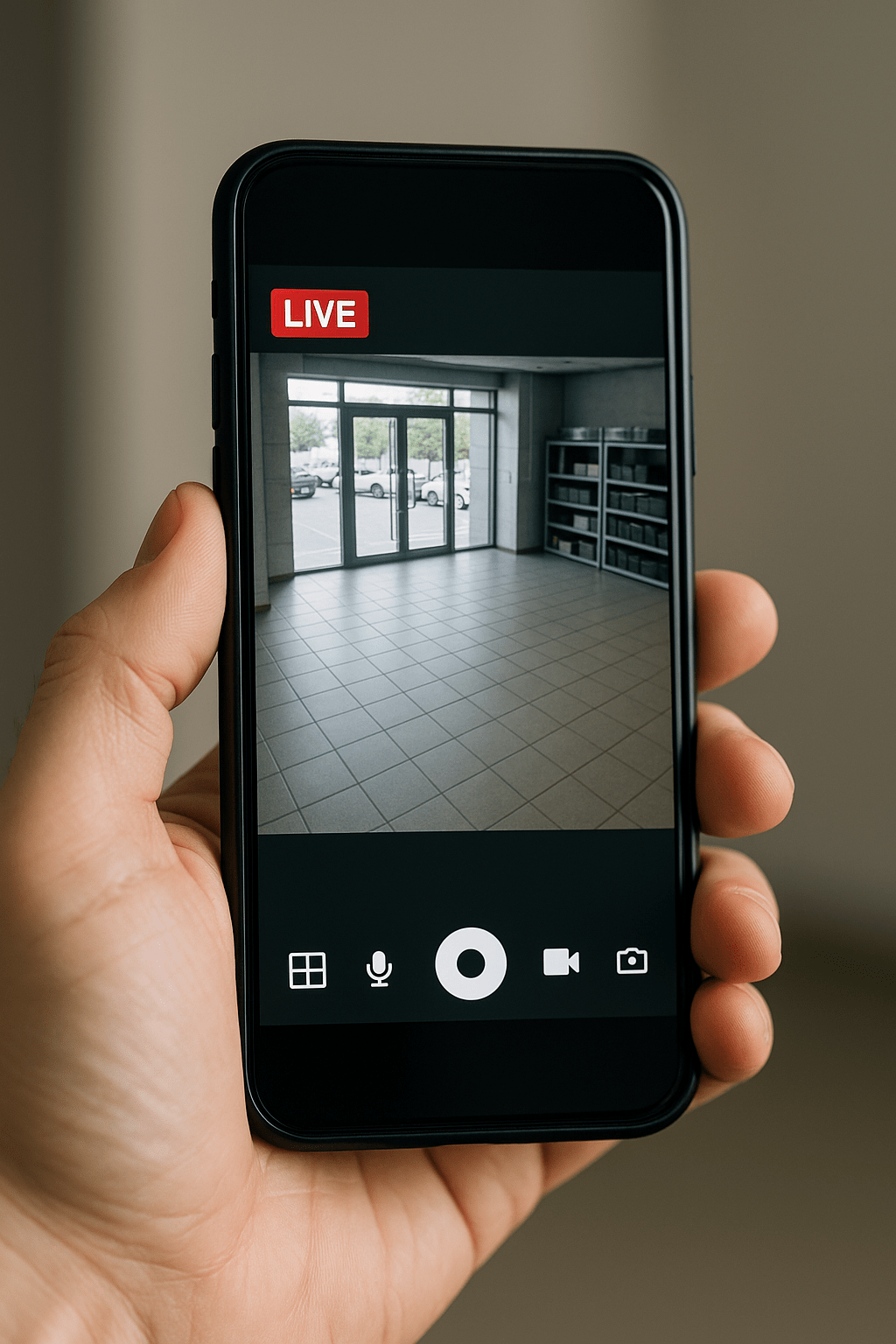
Mobile apps and web interfaces offer flexibility, allowing authorized personnel to view live and recorded footage from anywhere with an internet connection. When selecting a system, prioritize apps and interfaces with intuitive designs and robust features. These should include remote pan-tilt-zoom (PTZ) control, the ability to playback recorded video, and push notifications for triggered events (motion detection, alarm activation, etc.). The app should be compatible with both iOS and Android devices. A critical pitfall is relying on apps that are poorly designed or infrequently updated, which can lead to security vulnerabilities and unreliable performance. Ensure the app uses strong encryption to protect video feeds from unauthorized access. Imagine a warehouse manager needing to verify an alarm trigger after hours from their mobile phone, confirming whether it’s a legitimate threat or a false alarm.
Configuring User Access and Permissions
Properly configuring user access and permissions is essential for maintaining security and privacy. The system should allow you to create different user accounts with varying levels of access. For example, a general manager might have full access to all camera feeds and system settings, while a retail employee might only have access to specific cameras covering the sales floor. Use role-based access control (RBAC) to simplify management. Regularly review and update user permissions as employees change roles or leave the company. A significant pitfall is granting excessive permissions, which can increase the risk of internal theft or data breaches. For instance, ensuring that temporary staff only have access to specific cameras during their shifts and that access is revoked immediately upon their departure. Employ multi-factor authentication (MFA) for added security. See how access control systems can enhance your existing security setup.
Integrating Your Security Cameras with Other Business Systems
Access Control Integration: Streamlining Security Management
Integrating security cameras with access control systems creates a unified security ecosystem. When an employee swipes their access card at a door, the security camera can automatically record the event, providing a visual record of who entered and when. This integration enhances security and simplifies investigations. It’s crucial to select systems that are compatible with each other; using open standards like ONVIF can facilitate integration. A common pitfall is choosing incompatible systems, leading to integration challenges and increased costs. For example, if an unauthorized entry attempt triggers an alarm from the access control system, the security cameras can immediately provide visual verification of the situation, allowing for a more informed response. Learn more about access control for warehouses.
Point of Sale (POS) Integration: Preventing Theft and Fraud
Integrating security cameras with your POS system provides valuable insights into transactions and can help prevent theft and fraud. The camera footage can be synchronized with transaction data, allowing you to easily review video of specific transactions if discrepancies arise. This is particularly useful in retail environments to investigate suspicious activities, such as unusually high discounts or refunds. Choose a POS system that allows for easy integration with your security camera system, often through APIs. A critical pitfall is failing to properly synchronize the camera’s time with the POS system’s time, making it difficult to match video footage with transaction data. For example, a retail store in Brampton could use POS integration to identify and investigate cases of employee theft by reviewing video footage of transactions with unusually high cash payouts.
Alarm System Integration: Enhancing Overall Security
Integrating your security cameras with your alarm system creates a comprehensive security solution. When an alarm is triggered (e.g., door or window sensor activation), the security cameras can automatically start recording, providing visual confirmation of the event. This can help to reduce false alarms and improve response times. The system should allow you to define specific camera behaviors for different alarm events. A common pitfall is failing to properly configure the integration, leading to missed recordings or delayed notifications. For example, if a motion sensor in a warehouse is triggered after hours, the integrated camera system can send a notification to the security team and automatically begin recording, allowing them to quickly assess the situation and dispatch the appropriate response. Prioritize systems with seamless integration and reliable communication protocols.
Meeting Compliance and Regulatory Requirements with a Scalable System
Data Retention Policies: Meeting Legal and Industry Requirements
Establishing clear data retention policies is essential for complying with legal and industry regulations. Depending on your industry and location (Mississauga, Brampton, etc.), you may be required to retain video footage for a certain period of time. For instance, certain financial institutions may be required to retain surveillance footage for several months to comply with anti-money laundering regulations. A critical step is to consult with legal counsel to determine the specific data retention requirements that apply to your business. The security camera system should allow you to configure data retention periods for individual cameras or groups of cameras. A significant pitfall is failing to comply with data retention requirements, which can result in fines or legal penalties. Implement automated deletion policies to ensure that footage is automatically deleted after the retention period expires. Prioritize systems with robust storage management capabilities. [TBD: External link to Canadian data privacy laws.]
Privacy Considerations: Ensuring Compliance with PIPEDA
When deploying security cameras, it’s crucial to be mindful of privacy considerations and comply with the Personal Information Protection and Electronic Documents Act (PIPEDA) in Canada. PIPEDA governs how organizations collect, use, and disclose personal information, including video footage that captures individuals’ images. You must obtain consent from individuals before collecting their personal information, unless an exception applies. Clearly display signage indicating that the premises are under video surveillance. A common pitfall is failing to inform individuals that they are being recorded, which can violate their privacy rights. Implement measures to protect the security of video footage, such as encryption and access controls. For example, avoid placing cameras in areas where individuals have a reasonable expectation of privacy, such as washrooms or change rooms. Conduct a privacy impact assessment (PIA) to identify and mitigate potential privacy risks.
Maintaining Audit Trails for Security Events
Maintaining detailed audit trails of security events is essential for investigating incidents and demonstrating compliance. The security camera system should automatically log all significant events, such as user logins, camera configuration changes, alarm activations, and video exports. These audit logs can be invaluable for identifying the root cause of security breaches or operational issues. Ensure the audit logs are tamper-proof and securely stored. Regularly review the audit logs to identify suspicious activity or potential security vulnerabilities. A critical pitfall is failing to maintain adequate audit trails, which can hinder investigations and make it difficult to demonstrate compliance. For example, if a security camera is unexpectedly disabled, the audit logs can reveal who disabled it and when. Implement automated alerting mechanisms to notify security personnel of critical security events.
Real-World Examples: Scalable Security Solutions for Different Industries in Mississauga, Brampton and the GTA
Warehouse Security Cameras: Addressing Inventory Loss and Employee Safety
Warehouses often face challenges related to inventory loss, employee safety, and operational efficiency. Security cameras can play a vital role in addressing these challenges. Strategically placed cameras can monitor loading docks, storage areas, and high-traffic zones to deter theft and provide visual evidence of incidents. For example, a Mississauga-based distribution center implemented a comprehensive security camera system and reduced inventory loss by 30% within the first year. The system also improved employee safety by providing visual documentation of workplace accidents and near misses. Consider using cameras with features such as infrared night vision and wide dynamic range (WDR) to ensure clear visibility in challenging lighting conditions. Integration with access control systems can further enhance security by restricting access to authorized personnel only.
Retail Security Cameras: Preventing Shoplifting and Enhancing Customer Service
Retail businesses in Brampton and across the GTA face ongoing challenges with shoplifting, employee theft, and customer safety. Security cameras can help to deter these crimes and provide valuable evidence for investigations. Cameras placed near entrances, exits, and high-value merchandise displays can deter shoplifters and provide visual evidence of theft. In addition, security cameras can be used to monitor customer traffic patterns, identify bottlenecks, and improve customer service. For example, a retail store in Brampton used security camera footage to identify and address a recurring shoplifting problem, resulting in a 20% reduction in theft. Consider using cameras with facial recognition capabilities to identify known shoplifters and alert staff. A key factor is ensuring the cameras are discreet and do not create a negative shopping experience for customers. See more on commercial CCTV in Mississauga.
Manufacturing Security Cameras: Monitoring Production Processes and Ensuring Quality Control
Manufacturing facilities require robust security measures to protect valuable equipment, monitor production processes, and ensure quality control. Security cameras can be used to monitor production lines, identify bottlenecks, and detect defects. For example, a manufacturing plant in Milton implemented a security camera system with high-resolution cameras and video analytics to monitor the production of precision components. The system was able to identify and correct several quality control issues, resulting in a 15% reduction in scrap rates. Cameras can also be used to monitor employee safety and ensure compliance with safety regulations. Consider using cameras with pan-tilt-zoom (PTZ) capabilities to provide comprehensive coverage of large areas. Ensure the cameras are protected from harsh environmental conditions, such as dust and extreme temperatures. Example: XYZ Manufacturing, after implementing the system, reduced quality defects and scrap by 12%.
Remote Video Monitoring and Mobile Viewing: Staying Connected as You Grow
As your business expands, remote video monitoring and mobile viewing capabilities become essential. These features allow you to stay connected to your business from anywhere, providing real-time visibility and control over your security system.
Centralized Monitoring for Multi-Location Businesses
For businesses with multiple locations across Brampton and the GTA, centralized monitoring provides a unified view of all security cameras from a single location. This allows security personnel to quickly identify and respond to incidents, regardless of where they occur. Centralized monitoring systems can be customized to meet the specific needs of your business, with features such as alarm notifications, remote access control, and video analytics.
Mobile Apps and Web Interfaces: Accessing Your Security System From Anywhere
Mobile apps and web interfaces allow you to access your security system from any smartphone, tablet, or computer. This provides you with the flexibility to monitor your business, view live video feeds, and receive alarm notifications from anywhere in the world. Look for systems that offer user-friendly interfaces and customizable features to meet your specific needs. A convenient mobile interface offers peace of mind and allows quick checking on all locations.
Configuring User Access and Permissions
Configuring user access and permissions is crucial for maintaining the security of your video surveillance system. By assigning different levels of access to different users, you can ensure that only authorized personnel have access to sensitive information and critical system functions. Look for systems that offer granular control over user permissions, allowing you to customize access based on job roles and responsibilities. This secures data and helps maintain privacy.
Integrating Your Security Cameras with Other Business Systems
Integrating your security cameras with other business systems can enhance the overall effectiveness of your security measures and streamline business operations.
Access Control Integration: Streamlining Security Management
Integrating your security cameras with your access control system allows you to streamline security management and improve overall security. For example, you can configure your system to automatically record video footage when someone enters a restricted area, providing a visual record of who accessed the area and when. Access Control Integration centralizes security.
Point of Sale (POS) Integration: Preventing Theft and Fraud
Integrating your security cameras with your point-of-sale (POS) system can help to prevent theft and fraud by providing visual evidence of transactions. This can be particularly useful for identifying and addressing issues such as employee theft, customer fraud, and cash register discrepancies. Integrated video and POS data offer a reliable way to investigate discrepancies and deter theft.
Alarm System Integration: Enhancing Overall Security
Integrating your security cameras with your alarm system can enhance overall security by providing a more comprehensive view of security events. For example, you can configure your system to automatically record video footage when an alarm is triggered, providing visual evidence of the event and helping to verify the alarm. This ensures timely response to incidents.
Meeting Compliance and Regulatory Requirements with a Scalable System
As your business grows, it’s important to ensure that your security system meets all relevant compliance and regulatory requirements. This includes data retention policies, privacy considerations, and audit trail requirements.
Data Retention Policies: Meeting Legal and Industry Requirements
Data retention policies dictate how long you must retain video footage and other security data. These policies vary depending on the industry, location, and type of data. Consult with legal counsel to determine the appropriate data retention policies for your business. Meeting legal and industry requirements is paramount.
Privacy Considerations: Ensuring Compliance with PIPEDA
When using security cameras, it’s important to respect the privacy of your employees and customers. Ensure that you comply with all relevant privacy laws and regulations, such as the Personal Information Protection and Electronic Documents Act (PIPEDA). This includes obtaining consent when required, providing clear notice of video surveillance, and protecting the privacy of individuals captured on camera.
Maintaining Audit Trails for Security Events
Maintaining audit trails for security events can help to ensure accountability and transparency in your security operations. Audit trails provide a record of all system activity, including user logins, system changes, and alarm events. This information can be used to investigate security incidents, identify vulnerabilities, and improve overall security.
Real-World Examples: Scalable Security Solutions for Different Industries in Mississauga, Brampton and the GTA
Warehouse Security Cameras: Addressing Inventory Loss and Employee Safety
SecureGuard Storage Solutions, a Mississauga-based warehouse, implemented a scalable security camera system to address increasing inventory loss and employee safety concerns. High-resolution cameras with wide-angle lenses were strategically placed throughout the facility, including loading docks, storage areas, and employee entrances. The system was integrated with the warehouse’s existing access control system, providing a comprehensive security solution. After implementation, SecureGuard Storage Solutions reported a 30% reduction in inventory loss and improved employee safety.
Retail Security Cameras: Preventing Shoplifting and Enhancing Customer Service
Brampton Boutique, a high-end clothing store in downtown Brampton, installed a scalable security camera system to prevent shoplifting and enhance customer service. The system included discreet cameras placed near entrances, exits, and high-value merchandise displays. Facial recognition technology was used to identify known shoplifters and alert staff. In addition, the system was used to monitor customer traffic patterns and identify bottlenecks. As a result, Brampton Boutique experienced a 25% reduction in shoplifting incidents and improved customer satisfaction.
Manufacturing Security Cameras: Monitoring Production Processes and Ensuring Quality Control
GTA Manufacturing, a large-scale manufacturing plant in Vaughan, implemented a robust security camera system to monitor production processes, ensure quality control, and protect valuable equipment. The system included high-resolution cameras with pan-tilt-zoom (PTZ) capabilities, providing comprehensive coverage of the entire facility. Video analytics were used to identify bottlenecks, detect defects, and monitor employee safety. After implementation, GTA Manufacturing reported a 15% reduction in scrap rates and improved overall efficiency.
Remote Video Monitoring and Mobile Viewing: Staying Connected as You Grow
Centralized Monitoring for Multi-Location Businesses
For businesses with multiple locations across Mississauga, Brampton, and the GTA, a centralized monitoring solution can provide a unified view of security operations. This involves connecting all security camera systems to a central monitoring station, allowing security personnel to monitor all locations from a single interface. Centralized monitoring can improve response times, reduce operational costs, and enhance overall security.
Mobile Apps and Web Interfaces: Accessing Your Security System From Anywhere
Scalable security camera systems offer mobile apps and web interfaces, allowing you to access your security system from anywhere with an internet connection. These apps provide live video feeds, playback capabilities, and alarm notifications, enabling you to stay connected to your business even when you’re away. Mobile access can improve response times, enhance situational awareness, and provide peace of mind.
Configuring User Access and Permissions
Configuring user access and permissions is crucial for maintaining security and preventing unauthorized access to your security camera system. Scalable systems allow you to create user accounts with different levels of access, ensuring that only authorized personnel can view live video, access recordings, or make system changes. User access controls can help to prevent insider threats and protect sensitive information.
Integrating Your Security Cameras with Other Business Systems
Access Control Integration: Streamlining Security Management
Integrating your security cameras with your access control system can streamline security management and improve overall security. This integration allows you to link video footage to access control events, providing a complete audit trail of who entered or exited a building or area. Access control integration can also automate security workflows, such as locking doors when an alarm is triggered.
Point of Sale (POS) Integration: Preventing Theft and Fraud
Integrating your security cameras with your point of sale (POS) system can help to prevent theft and fraud. This integration allows you to link video footage to POS transactions, providing a visual record of each transaction. POS integration can help to identify suspicious transactions, monitor employee behavior, and reduce shrinkage.
Alarm System Integration: Enhancing Overall Security
Integrating your security cameras with your alarm system can enhance overall security and improve response times. This integration allows you to verify alarm events with live video, reducing false alarms and ensuring that security personnel respond to genuine threats. Alarm system integration can also automate security workflows, such as triggering video recording when an alarm is activated.
Meeting Compliance and Regulatory Requirements with a Scalable System
Data Retention Policies: Meeting Legal and Industry Requirements
Establishing data retention policies is essential for meeting legal and industry requirements. Scalable security camera systems allow you to configure data retention periods, ensuring that video footage is stored for the required amount of time and then automatically deleted. Proper data retention policies can help you to comply with regulations, protect privacy, and manage storage costs.
Privacy Considerations: Ensuring Compliance with PIPEDA
When deploying security cameras, it’s essential to consider privacy issues and comply with the Personal Information Protection and Electronic Documents Act (PIPEDA). This includes informing individuals that they are being recorded, obtaining consent where required, and protecting personal information from unauthorized access. Consulting with a legal professional can help to ensure compliance with PIPEDA.
Maintaining Audit Trails for Security Events
Maintaining audit trails for security events can help to ensure accountability and transparency in your security operations. Audit trails provide a record of all system activity, including user logins, system changes, and alarm events. This information can be used to investigate security incidents, identify vulnerabilities, and improve overall security.
Real-World Examples: Scalable Security Solutions for Different Industries in Mississauga, Brampton and the GTA
Warehouse Security Cameras: Addressing Inventory Loss and Employee Safety
SecureGuard Storage Solutions, a Mississauga-based warehouse, implemented a scalable security camera system to address increasing inventory loss and employee safety concerns. High-resolution cameras with wide-angle lenses were strategically placed throughout the facility, including loading docks, storage areas, and employee entrances. The system was integrated with the warehouse’s existing access control system, providing a comprehensive security solution. After implementation, SecureGuard Storage Solutions reported a 30% reduction in inventory loss and improved employee safety.
Retail Security Cameras: Preventing Shoplifting and Enhancing Customer Service
Brampton Boutique, a high-end clothing store in downtown Brampton, installed a scalable security camera system to prevent shoplifting and enhance customer service. The system included discreet cameras placed near entrances, exits, and high-value merchandise displays. Facial recognition technology was used to identify known shoplifters and alert staff. In addition, the system was used to monitor customer traffic patterns and identify bottlenecks. As a result, Brampton Boutique experienced a 25% reduction in shoplifting incidents and improved customer satisfaction.
Manufacturing Security Cameras: Monitoring Production Processes and Ensuring Quality Control
GTA Manufacturing, a large-scale manufacturing plant in Vaughan, implemented a robust security camera system to monitor production processes, ensure quality control, and protect valuable equipment. The system included high-resolution cameras with pan-tilt-zoom (PTZ) capabilities, providing comprehensive coverage of the entire facility. Video analytics were used to identify bottlenecks, detect defects, and monitor employee safety. After implementation, GTA Manufacturing reported a 15% reduction in scrap rates and improved overall efficiency.
Calculating the ROI of a Scalable Business Security Camera System
Investing in a scalable business security camera system is more than just an expense; it’s an investment that can yield significant returns. To accurately calculate the ROI, you need to consider both the direct and indirect benefits. Direct benefits include reduced theft and vandalism, improved operational efficiency, and potential reductions in insurance premiums. Indirect benefits might include enhanced employee morale, a safer work environment, and improved customer perception.
Calculating the potential ROI requires a comprehensive assessment of your current security vulnerabilities and the potential impact of a well-designed surveillance system. Consider the frequency and cost of past security incidents, the potential for future incidents, and the operational inefficiencies that could be addressed with better monitoring. For instance, a warehouse experiencing frequent inventory shrinkage can expect a higher ROI from a system that helps deter theft and track inventory movement.
Reducing Theft and Vandalism: Quantifying the Financial Benefits
Theft and vandalism are significant drains on profitability for many businesses. A security camera system acts as a powerful deterrent, discouraging potential offenders. To quantify the financial benefits, analyze historical data on theft-related losses, including the value of stolen goods, repair costs for damaged property, and associated administrative expenses. Then estimate the potential reduction in these losses after implementing a camera system. For example, if a retail store loses $10,000 annually to shoplifting, a system that reduces this by 75% yields a $7,500 annual saving.
Consider the psychological impact of visible security cameras. Potential thieves are less likely to target a business with a clearly visible and well-maintained surveillance system. This deterrent effect extends beyond monetary losses; it also protects your employees from potential harm and reduces the risk of business disruption. Also, ensure the system provides clear footage suitable for identifying perpetrators. Vague, grainy images offer little value for law enforcement.
Improving Operational Efficiency: Tracking Employee Performance and Identifying Bottlenecks
Security cameras aren’t just for crime prevention; they can also be valuable tools for improving operational efficiency. By monitoring employee performance, identifying bottlenecks in workflows, and optimizing processes, you can unlock significant cost savings and productivity gains. For example, in a manufacturing environment, cameras can be used to track production line efficiency, identify areas where errors are common, and provide data for process improvement. This can reduce waste, improve quality, and increase overall output.
It is important to consider privacy implications and labor laws when using cameras to monitor employee performance. Transparency is key; inform employees about the purpose of the cameras and how the footage will be used. Ensure that the monitoring is focused on improving processes and not on micromanaging individual employees. For instance, use cameras to analyze traffic flow within a warehouse to optimize picking routes, or monitor customer service interactions to identify training opportunities.
Lowering Insurance Premiums: Demonstrating a Commitment to Security
Many insurance companies offer discounts on premiums for businesses that invest in security measures. A comprehensive security camera system demonstrates a commitment to protecting your assets and reducing risk, making your business a more attractive client for insurers. The amount of the discount will vary depending on the insurer, the type of business, and the extent of the security system. Contact your insurance provider to inquire about potential discounts and the specific requirements for qualifying.
Be prepared to provide detailed information about your security system, including the number of cameras, their placement, recording capabilities, and alarm integration. A well-documented security plan that outlines your security protocols and emergency response procedures can further demonstrate your commitment to security and increase your chances of securing a lower premium. For example, a dealership with cameras covering all access points, parking lots, and inventory storage areas will likely qualify for a significant discount on their insurance policy.
Planning for the Future: Ongoing Maintenance and Support for Your Security System
A security camera system is a long-term investment that requires ongoing maintenance and support to ensure optimal performance. Neglecting these aspects can lead to system failures, security vulnerabilities, and a reduced return on investment. Proper planning for the future includes regular system checks, proactive firmware updates, robust data storage management, and a well-defined emergency response plan.
Failing to maintain your system can create vulnerabilities and blind spots, negating its effectiveness. A proactive approach to maintenance and support is crucial to maximizing the value of your security investment. Regularly scheduled service appointments are crucial for optimal system performance and longevity. Neglecting these measures can lead to unexpected failures and costly repairs, and potentially invalidate warranties.
Regular System Checks and Firmware Updates
Schedule regular system checks to verify that all cameras are functioning properly, recording correctly, and providing clear images. Check for any physical damage to the cameras or cabling and address any issues promptly. Firmware updates are essential for patching security vulnerabilities, improving system performance, and adding new features. Ensure that your system is configured to automatically receive and install firmware updates, or schedule regular manual updates. Failure to apply timely updates can leave your system vulnerable to cyberattacks.
Develop a checklist for system checks that includes verifying camera angles, image quality, recording schedules, and network connectivity. Train a designated employee to perform these checks on a regular basis (e.g., weekly or monthly). Keep a log of all system checks and maintenance activities for future reference. A system that goes unchecked for too long can develop problems that go unnoticed, creating a security risk.
Data Storage Management: Ensuring Sufficient Capacity
Adequate data storage capacity is crucial for maintaining a comprehensive record of security events. Determine the required storage capacity based on the number of cameras, recording resolution, frame rate, and retention period. Regularly monitor storage usage and add additional storage as needed. Consider using cloud-based storage solutions for increased scalability and redundancy. Ensure that your data storage system is secure and protected from unauthorized access.
Implement a data retention policy that complies with legal and regulatory requirements. This policy should specify how long footage is stored and how it is disposed of. Consider using data compression techniques to reduce storage requirements without sacrificing image quality. Back up your data regularly to protect against data loss due to hardware failure or other unforeseen events. Also, assess your cybersecurity defenses, as a compromised network can expose stored surveillance footage.
Emergency Response Planning: Preparing for Security Incidents
Develop a comprehensive emergency response plan that outlines the steps to be taken in the event of a security incident. This plan should include procedures for contacting law enforcement, notifying employees, and preserving evidence. Conduct regular drills to test the effectiveness of the plan and ensure that employees are familiar with their roles and responsibilities. Integrate your security camera system with your alarm system for a coordinated response to security threats.
The emergency response plan should be tailored to the specific needs of your business. Consider potential scenarios such as burglaries, vandalism, fires, and medical emergencies. Designate a point of contact for security incidents and provide them with the authority to make critical decisions. Ensure that your employees know how to access and review camera footage in the event of an incident. Also, consider the physical security of your network video recorder (NVR); if the NVR is easily accessible, thieves may steal it along with valuables, erasing critical footage.
Choosing the Right Security Partner: AYS Security’s Scalable Solutions for GTA Businesses
Selecting the right security partner is essential for ensuring the long-term success of your security camera system. A reputable partner will provide expert advice, professional installation, ongoing support, and scalable solutions that can grow with your business. AYS Security is a trusted provider of commercial CCTV systems in the Greater Toronto Area, with a proven track record of delivering reliable and effective security solutions.
When evaluating potential security partners, consider their experience, expertise, reputation, and customer service. Ask for references and read online reviews to get a sense of their track record. Ensure that they are licensed and insured, and that they have a team of qualified technicians who can handle the installation, maintenance, and repair of your security system. Also, consider their ability to provide remote monitoring and technical support.
Our Expertise in Commercial CCTV Systems
AYS Security specializes in designing, installing, and maintaining commercial CCTV systems for businesses of all sizes. Our team of experienced professionals has a deep understanding of the latest security technologies and industry best practices. We work closely with our clients to assess their specific needs and develop customized solutions that meet their budget and security requirements. We handle everything from initial consultation and system design to professional installation and ongoing maintenance. We also can assist with CCTV System Upgrades.
Our expertise extends beyond traditional CCTV systems to include advanced features such as video analytics, remote viewing, and mobile access. We can integrate your security camera system with other security systems, such as alarm systems and access control systems, for a comprehensive security solution. We use only high-quality cameras and equipment from leading manufacturers to ensure reliability and performance. Also, AYS Security understands the importance of structured cabling and PoE (Power over Ethernet) infrastructure to ensure reliable camera operation and data transmission.
Customized Solutions for Your Specific Needs
We understand that every business has unique security needs. That’s why we offer customized solutions that are tailored to your specific requirements. Whether you need a basic system for a small retail store or a sophisticated system for a large warehouse, we can design a solution that meets your needs and budget. We take the time to understand your business, assess your security risks, and develop a solution that provides the optimal level of protection.
For example, a manufacturing facility might require cameras with wide dynamic range (WDR) to capture clear images in areas with varying lighting conditions, while a dealership might need license plate recognition (LPR) cameras to track vehicles entering and exiting the property. A warehouse might benefit from strategically placed PTZ (pan-tilt-zoom) cameras to monitor large areas with a single camera. We also consider factors such as environmental conditions, potential vandalism, and privacy concerns when designing your system.
Ongoing Support and Maintenance Services
Our commitment to our clients extends beyond the initial installation. We offer ongoing support and maintenance services to ensure that your system continues to perform optimally. Our services include regular system checks, firmware updates, troubleshooting, and repair services. We also provide remote monitoring services, allowing us to proactively identify and address potential issues before they become major problems. Our goal is to provide you with peace of mind knowing that your security system is always working as it should.
We offer flexible maintenance contracts that can be customized to your specific needs. Our team of experienced technicians is available to provide on-site support and repair services. We also offer remote technical support to assist with minor issues and configuration changes. We understand the importance of minimizing downtime, so we strive to respond quickly to all service requests. A well-maintained system is a reliable system, and we are committed to ensuring that your security investment continues to provide value for years to come.
Investing in a scalable business security camera system is a strategic decision. By carefully considering the ROI, planning for the future, and choosing the right security partner like AYS Security, businesses in the GTA can create safer environments, reduce losses, and improve operational efficiency.