
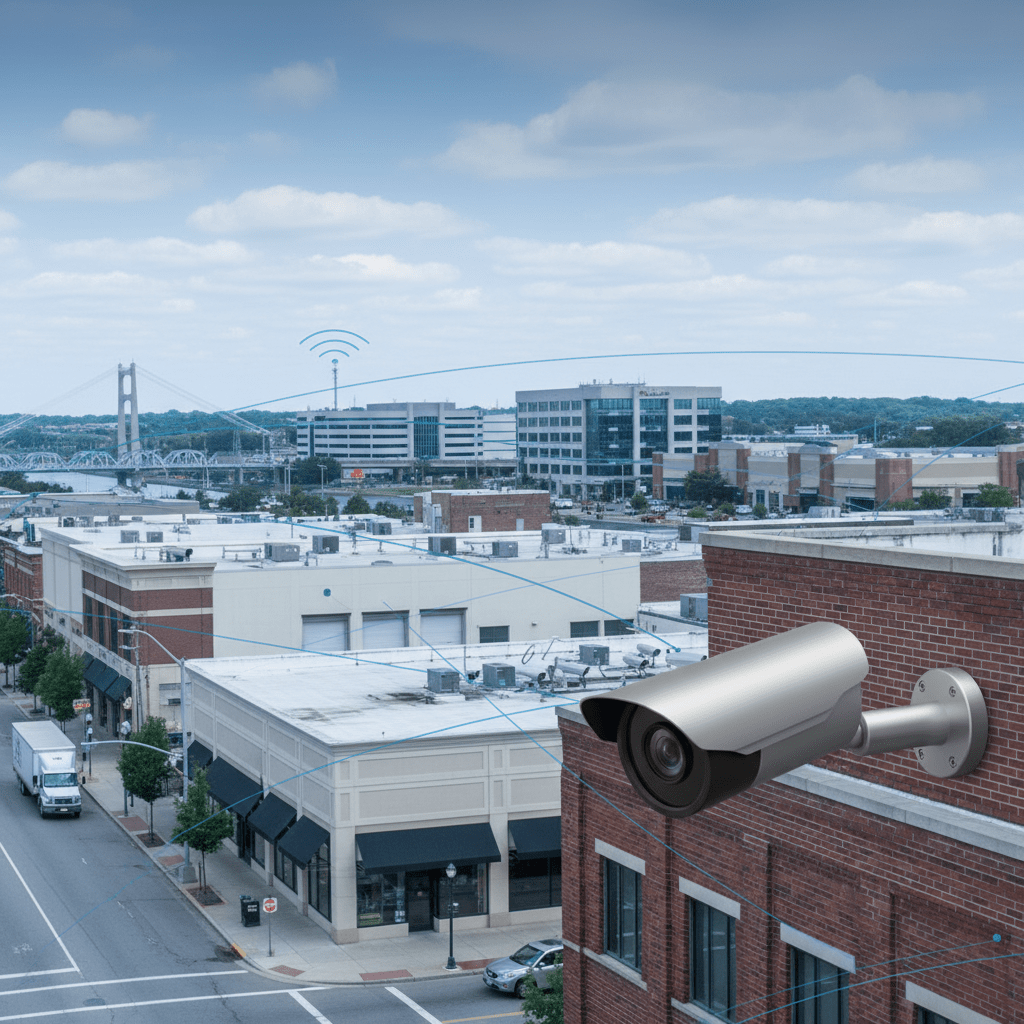
Managing security across multiple locations presents unique challenges. Unlike a single-site operation, multi-location businesses face complexities in coordinating security protocols, monitoring diverse environments, and maintaining consistent protection against evolving threats. A failure to address these challenges can lead to increased vulnerability, significant financial losses, and reputational damage.
This article delves into the critical aspects of securing your multi-location business with commercial security cameras. We’ll explore common security gaps, the benefits of a centralized system, essential camera features, and the considerations for wired versus wireless deployments, ultimately helping you make informed decisions to protect your assets and employees.
Is Your Multi-Location Business Vulnerable? Common Security Gaps and Blind Spots
The Hidden Costs of Inadequate Security: Shrinkage, Liability, and Productivity
Insufficient security measures can lead to a cascade of negative consequences for multi-location businesses. Beyond the obvious direct costs of theft and vandalism, consider the insidious impact of shrinkage, encompassing employee theft and inventory mismanagement. These issues can erode profit margins and create a culture of distrust. Furthermore, inadequate security elevates the risk of liability claims stemming from accidents, injuries, or even criminal activity on your premises. A poorly lit parking lot where an employee is injured, or a slip-and-fall incident not captured on video, can result in costly legal battles. Finally, security lapses can impact productivity. Employees who feel unsafe or are constantly dealing with security-related issues are less likely to be focused and efficient. The time spent investigating incidents, filing reports, and repairing damage diverts resources from core business activities. The cost of inadequate security, therefore, extends far beyond the initial price tag of security cameras.
Assessing Your Current Security Posture: A Quick Checklist for Multi-Location Businesses
Before investing in new security systems, conduct a comprehensive assessment of your existing security measures across all locations. This involves identifying vulnerabilities and prioritizing areas that require immediate attention. Start by evaluating your current CCTV coverage. Are there blind spots in parking lots, loading docks, storage areas, or cash handling locations? Next, review your access control system. Do you have a robust system in place to manage employee access, track entry and exit times, and prevent unauthorized access? Examine your alarm systems. Are they properly maintained, monitored, and responsive to emergencies? Consider conducting a security audit by a qualified professional. A security audit will reveal vulnerabilities you may have missed. Finally, analyze past security incidents. Identify trends, patterns, and root causes to inform your security strategy. By systematically assessing your current security posture, you can develop a targeted plan to address your specific needs and vulnerabilities. Businesses located in high-crime areas should consider more frequent and extensive security audits. It is important to factor in seasonal variations, such as increased shoplifting during the holidays, and adjust security accordingly.
Real-World Examples: Businesses That Learned the Hard Way (and How to Avoid Their Mistakes)
Example: A regional auto dealership with three locations experienced a series of overnight break-ins resulting in the theft of high-end wheels and tires. The initial investigation revealed that the existing CCTV system was outdated, with low-resolution cameras and limited coverage. Key areas, such as the back fence line and dimly lit corners of the lot, were completely unprotected. The dealership suffered over $50,000 in losses before implementing a comprehensive security upgrade. This included high-resolution cameras with infrared night vision, perimeter alarms, and remote video monitoring. To avoid similar mistakes, conduct regular risk assessments, invest in quality equipment, ensure adequate lighting, and consider professional monitoring services. Consider layered security measures (fences, lighting, alarms, cameras). Implement regular security training for staff to improve awareness and responsiveness.
The Benefits of a Centralized Commercial Security Camera System for Multi-Location Businesses
Enhanced Operational Visibility: Improve Efficiency and Make Data-Driven Decisions
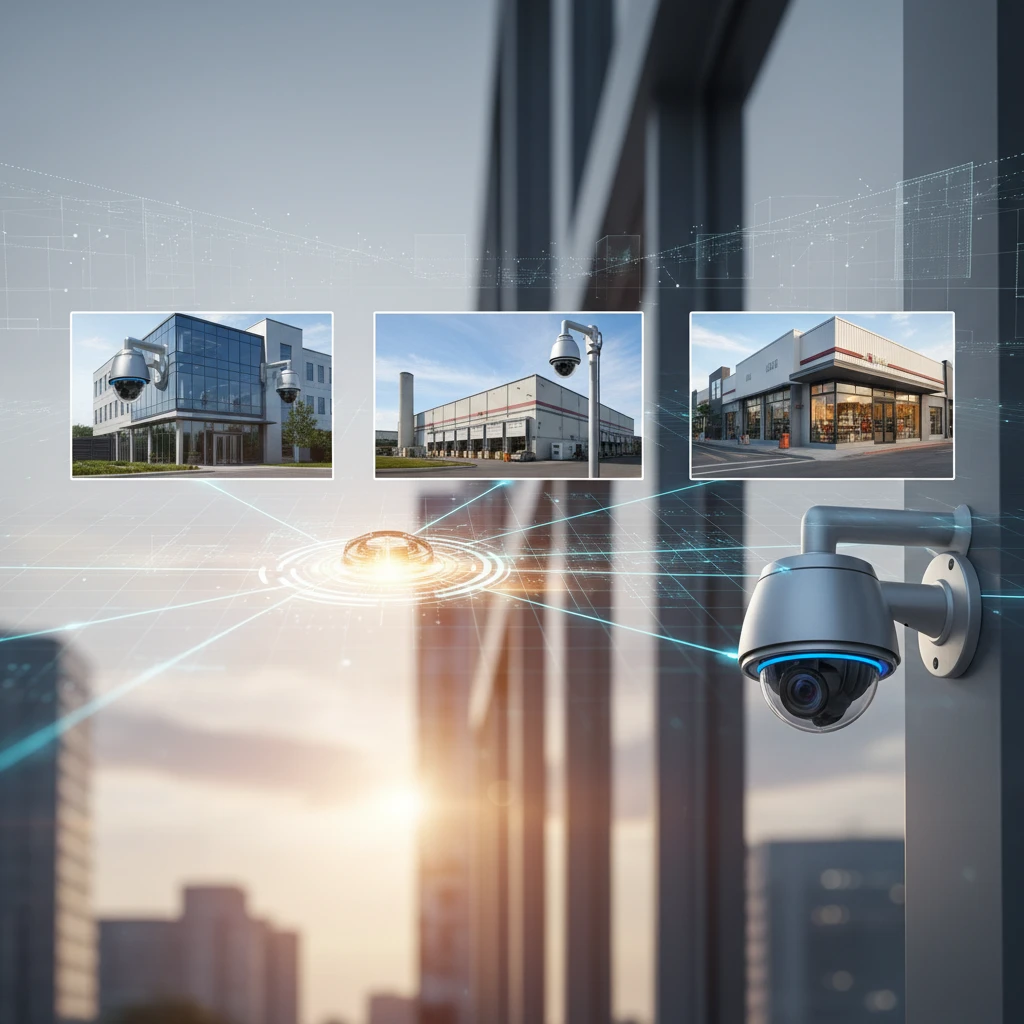
A centralized commercial security camera system transcends simple surveillance; it provides enhanced operational visibility across all your locations. Imagine being able to remotely monitor production lines in one factory, track customer traffic patterns in multiple retail stores, and oversee warehouse operations across different distribution centers, all from a single, intuitive platform. This real-time visibility empowers you to identify bottlenecks, optimize staffing levels, and improve overall efficiency. The recorded video footage also serves as a valuable resource for training purposes. Reviewing footage of successful sales interactions, efficient warehouse processes, or effective customer service strategies allows you to identify best practices and disseminate them across your organization. Furthermore, the data collected by the system, such as customer counts and dwell times, can inform strategic decision-making related to product placement, store layout, and marketing campaigns. Centralized systems can also integrate with other business systems, such as point-of-sale (POS) systems, to identify and prevent fraud. A Commercial CCTV Mississauga expert can help you choose the right solution for your organization.
Proactive Threat Detection and Prevention: Minimize Losses and Protect Your Assets
Centralized security camera systems offer more than just reactive recording; they enable proactive threat detection and prevention, minimizing losses and safeguarding your valuable assets. Advanced features like motion detection, facial recognition, and license plate recognition can trigger real-time alerts, enabling security personnel to respond swiftly to potential threats. For instance, if a camera detects an unauthorized vehicle entering a restricted area, the system can automatically notify security staff, allowing them to investigate the situation before it escalates. Similarly, facial recognition technology can identify known shoplifters or individuals with a history of disruptive behavior, enabling employees to take preventative measures. Beyond detecting criminal activity, these systems can also identify safety hazards, such as spills, blocked exits, or equipment malfunctions. Early detection of these hazards can prevent accidents, injuries, and costly downtime. By implementing a proactive security strategy, you can deter potential threats, minimize losses, and create a safer environment for your employees and customers. The system can also be integrated with Access Control Systems to prevent unauthorized entry.
Streamlined Security Management: Monitor All Locations from a Single Platform
Managing security across multiple locations can be a logistical nightmare without a centralized system. A single, unified platform streamlines security management, allowing you to monitor all locations from a central command center. This eliminates the need to switch between different systems or manually collect data from each location, saving valuable time and resources. With a centralized system, you can remotely view live video feeds, manage user access, configure system settings, and generate reports for all your locations. This simplifies security administration, improves response times, and enhances overall security effectiveness. Centralized management also facilitates consistent security protocols across all locations. You can easily deploy security updates, enforce password policies, and standardize security procedures, ensuring that all locations adhere to the same high standards. Furthermore, a centralized system provides a comprehensive audit trail of all security activities, making it easier to investigate incidents, identify vulnerabilities, and demonstrate compliance with industry regulations. Regular security audits can ensure the system is properly maintained and functioning effectively.
Key Features to Look For in Commercial Security Cameras for Multi-Location Deployment
High-Resolution Imaging and Zoom Capabilities for Detailed Surveillance
When selecting commercial security cameras for your multi-location business, prioritize high-resolution imaging and zoom capabilities. High resolution cameras, such as 4K or higher, capture significantly more detail than lower resolution cameras, allowing you to identify individuals, read license plates, and discern critical details even at a distance. This is particularly important for areas with high traffic or potential security risks. Zoom capabilities are also essential for detailed surveillance. Optical zoom lenses allow you to zoom in on specific areas of interest without sacrificing image quality, while digital zoom can enhance details in recorded footage. Consider cameras with varifocal lenses, which allow you to adjust the focal length and field of view to suit your specific needs. For large areas, PTZ (Pan-Tilt-Zoom) cameras offer the flexibility to remotely pan, tilt, and zoom, providing comprehensive coverage. Invest in cameras with adequate storage capacity to accommodate high-resolution footage. Choose cameras with robust image processing capabilities to minimize noise and distortion. Proper lighting is important; however, the appropriate security cameras can compensate for less-than-ideal lighting conditions.
Wide Dynamic Range (WDR) and Low-Light Performance for Clear Visibility in Challenging Conditions
Real-world environments often present challenging lighting conditions that can compromise video quality. Wide Dynamic Range (WDR) technology compensates for extreme variations in lighting, such as bright sunlight and deep shadows, ensuring clear visibility in both bright and dark areas of the image. This is particularly important for outdoor cameras facing direct sunlight or indoor cameras in areas with uneven lighting. Low-light performance is also crucial for nighttime surveillance or areas with minimal lighting. Look for cameras with advanced low-light sensors and infrared (IR) illuminators that can capture clear images in near-darkness. Starlight technology is another feature to consider, as it enhances color reproduction and detail in low-light conditions. Test cameras in various lighting conditions to ensure they meet your specific requirements. Consider the distance and range of the IR illuminators to ensure adequate coverage in dark areas. Regular maintenance of cameras, including cleaning lenses, will help maintain optimal performance in all lighting conditions. Poor low-light performance can be a critical security gap.
Intelligent Video Analytics (IVA): Motion Detection, Intrusion Alerts, and People Counting
Intelligent Video Analytics (IVA) transforms security cameras from passive recording devices into proactive threat detection systems. Motion detection, a basic but essential IVA feature, triggers alerts when movement is detected within a designated area, enabling security personnel to respond quickly to potential intrusions or suspicious activity. More advanced IVA features include intrusion alerts, which can differentiate between normal activity and unauthorized entry, and people counting, which tracks the number of people entering and exiting a building or area. These features can be used to optimize staffing levels, identify potential security breaches, and improve customer service. Facial recognition technology can identify known shoplifters or individuals with a history of disruptive behavior. Object detection can identify abandoned objects or unattended packages, alerting security personnel to potential security threats. Choose IVA features that align with your specific security needs and business objectives. Regularly review IVA settings to ensure they are properly configured and optimized for your environment. The ability to filter alerts (e.g., ignore small animals triggering motion detection) is critical to minimize false alarms.
Remote Access and Mobile Viewing: Stay Connected to Your Business 24/7
In today’s interconnected world, remote access and mobile viewing are essential features for any commercial security camera system. Remote access allows you to view live video feeds, review recorded footage, and manage system settings from anywhere with an internet connection. Mobile viewing apps enable you to monitor your business from your smartphone or tablet, providing real-time visibility and control. This is particularly valuable for multi-location businesses, as it allows you to stay connected to all your locations, even when you’re not physically present. Ensure that the remote access and mobile viewing features are secure and encrypted to protect your data from unauthorized access. Choose a system with a user-friendly interface and intuitive controls for easy navigation and management. Test the remote access and mobile viewing features on various devices and network connections to ensure optimal performance. Two-factor authentication can add an extra layer of security to your remote access. Businesses that use remote viewing most effectively often have established protocols and assigned personnel responsible for monitoring.
Wired vs. Wireless Security Cameras for Multi-Location Businesses: Weighing the Pros and Cons
Structured Cabling and Power over Ethernet (PoE): Reliability and Scalability for Large Installations
For multi-location businesses with extensive security camera deployments, wired security camera systems with structured cabling and Power over Ethernet (PoE) offer significant advantages in terms of reliability and scalability. Structured cabling provides a dedicated network infrastructure for your security cameras, ensuring stable and consistent connectivity. PoE technology allows you to power your cameras over the same Ethernet cable that carries data, eliminating the need for separate power outlets and simplifying installation. This is particularly beneficial for locations where power outlets are limited or difficult to access. Wired systems are generally more reliable than wireless systems, as they are less susceptible to interference and signal degradation. Structured cabling provides a robust and scalable infrastructure that can accommodate future expansion. Choose high-quality cabling and connectors to ensure optimal performance and longevity. Proper cable management is essential for maintaining a clean and organized installation. Hire qualified technicians to install and maintain your structured cabling infrastructure. Business Security Cameras expert installation is crucial for optimal performance. Consider future bandwidth requirements when designing your structured cabling system.
Wireless Camera Limitations: Bandwidth, Interference, and Security Considerations
While wireless security cameras offer greater flexibility in terms of placement and installation, they also have limitations that must be carefully considered, especially for multi-location businesses. Bandwidth limitations can be a significant issue, particularly when streaming high-resolution video from multiple cameras simultaneously. Wireless signals are also susceptible to interference from other electronic devices, walls, and other obstacles, which can degrade video quality and cause connectivity issues. Security is another major concern with wireless cameras. Wireless signals can be intercepted by unauthorized individuals, potentially compromising your data and privacy. To mitigate these risks, choose wireless cameras with strong encryption and secure protocols. Ensure that your wireless network is properly secured with a strong password and up-to-date security patches. Consider using a dedicated wireless network for your security cameras to minimize interference and improve security. Perform regular security audits to identify and address potential vulnerabilities. Wireless networks are more vulnerable to cyber attacks.
When Wireless Makes Sense: Specific Use Cases and Best Practices
Despite their limitations, wireless security cameras can be a viable option for specific use cases in multi-location businesses. Wireless cameras are well-suited for temporary installations, locations where running cables is impractical, or areas where frequent camera relocation is required. For example, a wireless camera could be used to monitor a temporary construction site or to provide surveillance at a special event. When using wireless cameras, it’s crucial to follow best practices to minimize risks and maximize performance. Choose cameras with strong wireless signals and reliable connectivity. Position cameras in areas with minimal interference and clear line of sight to the wireless router. Use a dedicated wireless network for your security cameras to improve performance and security. Regularly monitor the wireless signal strength and connectivity to ensure optimal performance. Change the default administrator password and use a strong, unique password for each camera. Update the camera firmware regularly to patch security vulnerabilities. Ensure the camera’s wireless signal is encrypted using WPA3 or a comparable standard. Consider professional installation even for wireless systems, especially for optimizing placement and signal strength.
Is Your Multi-Location Business Vulnerable? Common Security Gaps and Blind Spots
Many multi-location businesses face unique security challenges due to their distributed nature. Common security gaps include inconsistent security protocols across locations, inadequate employee training, and a lack of centralized monitoring. Blind spots can exist in areas that are not easily visible or accessible, such as storage rooms, loading docks, and parking lots. It’s important to identify these vulnerabilities and implement appropriate security measures to mitigate risks.
The Hidden Costs of Inadequate Security: Shrinkage, Liability, and Productivity
Inadequate security can lead to significant financial losses for multi-location businesses. Shrinkage, including theft and vandalism, can directly impact your bottom line. Liability claims arising from accidents or injuries on your property can result in costly lawsuits. Security breaches can also disrupt business operations and negatively affect employee productivity. Investing in a comprehensive security system can help minimize these risks and protect your business from financial losses.
Assessing Your Current Security Posture: A Quick Checklist for Multi-Location Businesses
Before implementing a new security system, it’s essential to assess your current security posture. Here’s a quick checklist to help you identify potential vulnerabilities:
- Are your security protocols consistent across all locations?
- Do you have adequate security cameras covering all critical areas?
- Are your employees properly trained on security procedures?
- Do you have a centralized monitoring system for all locations?
- Are your access control systems up-to-date and secure?
- Do you conduct regular security audits to identify vulnerabilities?
- Are your alarm systems properly maintained and monitored?
- Do you have a comprehensive incident response plan in place?
- Are you backing up your surveillance footage regularly?
- Is your network secure and protected from cyber threats?
Real-World Examples: Businesses That Learned the Hard Way (and How to Avoid Their Mistakes)
Several businesses have suffered significant losses due to inadequate security. For example, a retail chain experienced a series of break-ins at multiple locations due to outdated alarm systems and a lack of security cameras. A restaurant chain faced a costly lawsuit after a customer was injured in a poorly lit parking lot. A manufacturing company lost valuable intellectual property due to a cyberattack targeting its unsecured network. These examples highlight the importance of investing in a comprehensive security system and following best practices to avoid costly mistakes. Learn from these scenarios by upgrading to modern systems, properly training staff, and maintaining vigilant oversight of your entire security infrastructure.
The Benefits of a Centralized Commercial Security Camera System for Multi-Location Businesses
A centralized commercial security camera system offers numerous benefits for multi-location businesses, including enhanced operational visibility, proactive threat detection, and streamlined security management. By consolidating your security infrastructure, you can improve efficiency, reduce costs, and enhance overall security.
Enhanced Operational Visibility: Improve Efficiency and Make Data-Driven Decisions
A centralized security camera system provides real-time visibility into all your locations, allowing you to monitor operations, track employee performance, and identify potential bottlenecks. This enhanced visibility can help you improve efficiency, optimize resource allocation, and make data-driven decisions. For example, you can use video analytics to identify peak hours at different locations and adjust staffing levels accordingly. By centralizing your video data, you can easily analyze trends and patterns to improve business performance.
Proactive Threat Detection and Prevention: Minimize Losses and Protect Your Assets
A centralized security camera system can help you proactively detect and prevent threats, minimizing losses and protecting your assets. Advanced video analytics can identify suspicious activity, such as loitering, unauthorized access, or unusual behavior. Real-time alerts can be sent to security personnel, allowing them to respond quickly to potential threats. By proactively addressing security concerns, you can reduce the risk of theft, vandalism, and other incidents.
Streamlined Security Management: Monitor All Locations from a Single Platform
A centralized security camera system allows you to monitor all your locations from a single platform, simplifying security management and reducing administrative overhead. You can easily view live video feeds, review recorded footage, and manage user access from a central location. This streamlined management can save you time and money, allowing you to focus on other important aspects of your business. Centralized systems enable quicker responses to incidents and facilitate consistent policy enforcement across all sites.
Key Features to Look For in Commercial Security Cameras for Multi-Location Deployment
When choosing security cameras for a multi-location business, it’s important to consider several key features, including high-resolution imaging, wide dynamic range, intelligent video analytics, and remote access capabilities.
High-Resolution Imaging and Zoom Capabilities for Detailed Surveillance
High-resolution imaging is essential for capturing clear and detailed video footage, allowing you to identify individuals and objects with greater accuracy. Look for cameras with a resolution of at least 1080p (Full HD) or higher. Zoom capabilities are also important for zooming in on specific areas of interest, such as cash registers or entrances. Optical zoom provides better image quality than digital zoom. Choosing the right resolution and zoom capabilities will improve the effectiveness of your surveillance system.
Wide Dynamic Range (WDR) and Low-Light Performance for Clear Visibility in Challenging Conditions
Wide Dynamic Range (WDR) technology helps to balance the exposure in scenes with both bright and dark areas, ensuring that details are visible in both the highlights and shadows. Low-light performance is also crucial for capturing clear video footage in dimly lit environments, such as parking lots or warehouses. Look for cameras with a high sensitivity rating (low lux value) and infrared (IR) illuminators. Cameras with excellent WDR and low-light capabilities ensure clear visibility regardless of lighting conditions.
Intelligent Video Analytics (IVA): Motion Detection, Intrusion Alerts, and People Counting
Intelligent Video Analytics (IVA) can automate many security tasks, such as motion detection, intrusion alerts, and people counting. Motion detection can trigger alerts when movement is detected in a specific area. Intrusion alerts can notify you when someone enters a restricted area. People counting can help you track customer traffic and optimize staffing levels. IVA can significantly improve the efficiency and effectiveness of your security system. Ensure the IVA is accurate and customizable to meet your specific needs.
Remote Access and Mobile Viewing: Stay Connected to Your Business 24/7
Remote access and mobile viewing allow you to monitor your business from anywhere, at any time. Look for cameras with a user-friendly mobile app that allows you to view live video feeds, review recorded footage, and receive alerts on your smartphone or tablet. Remote access provides peace of mind and allows you to respond quickly to any security concerns. Ensure the mobile app is secure and supports encrypted communication.
Wired vs. Wireless Security Cameras for Multi-Location Businesses: Weighing the Pros and Cons
When selecting security cameras for your multi-location business, you’ll need to decide between wired and wireless options. Both types have their advantages and disadvantages, depending on your specific needs and infrastructure.
Structured Cabling and Power over Ethernet (PoE): Reliability and Scalability for Large Installations
Wired security camera systems using structured cabling and Power over Ethernet (PoE) offer a reliable and scalable solution for large installations. Structured cabling provides a dedicated network connection for each camera, ensuring stable bandwidth and minimal interference. PoE allows you to power the cameras over the same Ethernet cable, simplifying installation and reducing the need for separate power outlets. Wired systems are ideal for businesses that require high reliability and plan to expand their security system in the future. Professional structured cabling installation is recommended.
Wireless Camera Limitations: Bandwidth, Interference, and Security Considerations
Wireless security cameras offer greater flexibility in terms of placement and installation, but they also have limitations. Bandwidth constraints can affect video quality, especially when multiple cameras are streaming simultaneously. Wireless signals can be susceptible to interference from other devices, such as microwaves and cordless phones. Wireless security can also be a concern if not properly configured with strong passwords and encryption. Consider the security implications of wireless cameras before deploying them.
When Wireless Makes Sense: Specific Use Cases and Best Practices
Wireless security cameras can be a good option for specific use cases where wired installation is difficult or impractical. For example, wireless cameras can be used to monitor temporary locations, such as construction sites, or areas where running cables is not feasible. When using wireless cameras, it’s essential to ensure a strong and stable Wi-Fi signal, use a secure wireless network, and regularly update the camera’s firmware. Adhering to wireless camera best practices is critical for optimal performance and security.
Integrating Your Commercial Security Camera System with Other Security Technologies
Commercial security camera systems become significantly more powerful when integrated with other security technologies. This integration creates a layered security approach, addressing vulnerabilities that a standalone camera system might miss. The goal is to create a cohesive ecosystem where each component enhances the effectiveness of the others. This integration requires careful planning and compatibility assessments to ensure seamless operation and data sharing between different systems.
Access Control Systems: Seamless Integration for Enhanced Security
Integrating your access control systems with your security cameras provides a robust solution for managing who enters your premises and when. For instance, footage can be automatically triggered and recorded when someone uses a keycard or enters a specific area. This is invaluable for investigating security breaches or unauthorized access. Consider a scenario where an employee badge is used outside of normal business hours. The access control system grants entry, but the security camera records the event, providing visual confirmation and potentially capturing suspicious activity. The system flags the event for security personnel to review. This level of integration provides both proactive and reactive security measures. Implementing such a system demands careful consideration of door and entry point security. The system provides a log of who accessed each entry point, improving security and accountability. A typical implementation involves using APIs to connect the access control software with the video management system (VMS). This allows for correlated event logging and unified reporting.
Alarm Systems and Monitoring Services: A Comprehensive Security Solution
The synergy between alarm systems and security cameras provides a more comprehensive security solution than either system alone. When an alarm is triggered (e.g., door sensor activated at night), the security cameras can instantly begin recording, providing visual verification of the alarm event. This helps distinguish between false alarms and genuine threats, allowing for a more informed and efficient response. Many modern systems offer remote video monitoring, where security personnel can view live camera feeds upon alarm activation. This enables them to assess the situation in real-time and dispatch the appropriate authorities with accurate information, reducing response times and potentially preventing significant losses. For example, a motion sensor in a warehouse triggers an alarm at 3 AM. The monitoring service accesses the camera feed and observes a person attempting to break into a storage container. They immediately alert the police with a detailed description and location. This proactive approach minimizes damage and loss. The system should also provide backup power and redundant communication channels to ensure operability during power outages or network failures. A professional security company can ensure seamless alarm and camera integration.
Point of Sale (POS) Integration: Reduce Employee Theft and Fraud
Integrating your commercial security camera system with your point of sale (POS) system can significantly reduce employee theft and fraud. By linking transaction data with video footage, you can easily identify discrepancies and investigate suspicious activities. For example, a “no sale” transaction followed by the removal of cash from the register can be quickly flagged and reviewed. The system can overlay transaction details (e.g., item purchased, amount paid, cashier ID) onto the corresponding video, providing clear and irrefutable evidence. Furthermore, the integrated system can be programmed to alert managers to specific types of transactions, such as voids, refunds, or discounts, allowing them to proactively monitor potentially fraudulent behavior. Example: a retail store experiences a high rate of returns. By integrating the POS system with the security cameras, the manager can review the video footage of each return transaction and identify a pattern of employees processing fraudulent returns. This integration requires a secure and reliable connection between the POS system and the VMS. Data privacy and compliance with regulations like PCI DSS must be carefully considered during the integration process.
Commercial Security Camera Installation: Why Professional Installation is Essential
While DIY security camera systems might seem appealing due to their lower upfront costs, professional installation is crucial for ensuring the effectiveness, reliability, and longevity of a commercial CCTV system. Commercial environments have unique security needs and complexities that require specialized knowledge and expertise. Professional installers have experience with various business types and sizes, understanding the specific challenges and vulnerabilities associated with each.
Proper Camera Placement and Coverage: Maximize Effectiveness and Minimize Blind Spots
Proper camera placement is paramount to maximizing the effectiveness of a security camera system. A professional installer will conduct a thorough site survey to identify critical areas that need coverage, such as entrances, exits, cash registers, storage areas, and loading docks. They will consider factors like lighting conditions, potential obstructions, and optimal viewing angles to minimize blind spots and ensure clear, usable footage. For instance, placing a camera too high might provide a wide view but sacrifice detail needed for identification. Conversely, placing a camera too low could make it vulnerable to vandalism or obstruction. Professionals use specialized tools to calculate the optimal lens size and camera position for each location, ensuring that the desired area is adequately covered with sufficient detail. Improper camera placement leads to wasted investment and false sense of security. A warehouse needs cameras positioned to view all aisles and loading docks, considering forklift traffic and inventory storage heights. An experienced installer will know how to place cameras to mitigate these challenges.
Structured Cabling and Network Configuration: Ensure Reliable Performance
A security camera system is only as reliable as its underlying infrastructure. Professional installers use structured cabling techniques to ensure a clean, organized, and reliable network connection for each camera. This involves using high-quality cables, properly terminated connectors, and organized cable management systems. Proper cable management prevents signal interference, reduces the risk of cable damage, and simplifies troubleshooting. Furthermore, a professional installer will configure the network to optimize bandwidth allocation for the cameras, preventing latency and ensuring smooth video streaming. They will also implement security measures to protect the camera system from unauthorized access and cyber threats. Consider a scenario where a business opts for DIY installation and uses inadequate cabling. Over time, the cables degrade, causing intermittent video loss and hindering the system’s ability to record critical events. Using structured cabling and Power over Ethernet (PoE) also simplifies the installation process and reduces the need for separate power outlets at each camera location.
Ongoing Maintenance and Support: Maximize Uptime and Minimize Downtime
Even with a professionally installed system, ongoing maintenance and support are essential to maximize uptime and minimize downtime. A reputable security company will offer maintenance plans that include regular system checks, software updates, and hardware inspections. These proactive measures can identify and address potential issues before they escalate into major problems. Remote system monitoring allows technicians to detect and resolve many issues remotely, reducing the need for on-site visits. Additionally, a reliable support team will be available to respond quickly to any issues that arise, minimizing disruption to your business operations. Neglecting maintenance can lead to equipment failures, software glitches, and security vulnerabilities. Example: A restaurant’s security camera system experiences a hard drive failure, resulting in the loss of several days of video footage. Without a maintenance plan, the restaurant owner may not discover the issue until it’s too late, potentially missing critical evidence in case of a security incident. A good maintenance plan covers periodic checks, software patches and firmware updates to mitigate failures and vulnerabilities. Professional security companies offer service level agreements (SLAs) guaranteeing response times and system uptime.
Security Camera System Scalability: Planning for Future Growth and Expansion
When investing in a commercial security camera system, scalability is a critical factor to consider. Your business needs may change over time as you grow, expand, or adapt to new security threats. Choosing a system that can easily scale to accommodate these changes will protect your investment and prevent the need for a complete system overhaul in the future.
Choosing a System That Can Easily Add Cameras and Locations
The ideal security camera system should allow you to easily add cameras and locations as your business expands. This means selecting a system with a flexible architecture that can accommodate additional devices without requiring significant infrastructure changes. Look for systems that support a large number of cameras and can be easily integrated with existing network infrastructure. Consider systems that use Power over Ethernet (PoE) technology, which simplifies installation by allowing cameras to be powered directly through the network cable. This eliminates the need for separate power outlets at each camera location and makes it easier to add new cameras as needed. A scalable system should also support remote management, allowing you to monitor and control cameras across multiple locations from a central platform. Example: A retail chain opens two new stores. Their existing security camera system is easily expandable, allowing them to add cameras to the new locations and manage them all from the same central monitoring platform. This saves time and resources compared to having separate systems for each location. Evaluate the VMS software to verify the maximum number of cameras it supports. Ensure that the system can handle the increased bandwidth and storage requirements as you add more cameras.
Cloud-Based vs. On-Premise Storage: Scalability and Cost Considerations
The choice between cloud-based and on-premise storage has significant implications for the scalability and cost of your security camera system. Cloud-based storage offers greater scalability, as you can easily increase storage capacity as needed without investing in additional hardware. This is particularly beneficial for businesses with multiple locations or those experiencing rapid growth. However, cloud-based storage typically involves ongoing subscription fees, which can add up over time. On-premise storage requires a larger upfront investment in hardware, such as network video recorders (NVRs), but it may be more cost-effective in the long run for businesses with stable storage needs. Consider your long-term storage requirements and budget when making this decision. If you anticipate significant growth or fluctuating storage needs, cloud-based storage may be the better option. If you have predictable storage needs and prefer to have complete control over your data, on-premise storage may be more suitable. Hybrid solutions that combine cloud and on-premise storage are also available, offering a balance of scalability, cost, and control. A cloud storage provider should be able to give guarantees regarding data retention and uptime. Cloud storage typically offers easier redundancy and disaster recovery compared to on-premise storage.
Future-Proofing Your Investment: Selecting a System That Can Adapt to Changing Needs
To future-proof your security camera system investment, select a system that can adapt to changing needs and emerging technologies. This means choosing a system that supports open standards and can be easily integrated with other security systems and devices. Look for systems that offer regular software updates and can be upgraded to support new features and capabilities. Consider systems that support advanced analytics, such as facial recognition, license plate recognition, and object detection, which can enhance your security posture and provide valuable insights into your business operations. The system should also be compatible with mobile devices, allowing you to monitor your cameras remotely from anywhere in the world. By choosing a flexible and adaptable system, you can ensure that your security camera system remains effective and relevant for years to come. Consider cybersecurity when future-proofing: strong password policies, regular security audits, and firmware updates are essential. Consult with a security professional to assess your current and future needs and select a system that can meet those requirements. Regularly review your system configuration and update your security protocols to address evolving threats and vulnerabilities. See CCTV System Upgrades: Future-Proof Your Business Security for more information.
Alternatives to Commercial Security Cameras (and When to Choose Them)
While commercial security camera systems are a powerful tool for protecting your business, they are not always the best solution for every situation. There are alternative security measures that may be more appropriate depending on your specific needs, budget, and risk profile. It’s important to evaluate all available options and choose the solution that best addresses your unique security challenges.
Security Guards: When Physical Presence is Required
Security guards offer a physical presence that can deter crime and provide immediate response to security incidents. They can patrol your premises, monitor access points, and respond to alarms. Security guards are particularly useful in situations where a visible deterrent is needed or where human judgment is required to assess and respond to security threats. For example, a large construction site might benefit from having security guards on-site to prevent theft and vandalism. A high-end retail store might employ security guards to deter shoplifting and provide customer service. However, security guards can be expensive, and their effectiveness depends on their training, experience, and vigilance. They are also subject to human error and may not be able to cover all areas of your property at all times. Combining security cameras with security guards can provide a more comprehensive security solution, with cameras providing 24/7 surveillance and guards providing a physical presence and immediate response capabilities. Evaluate the cost-effectiveness of security guards versus other security measures, considering the potential risks and benefits. Ensure that security guards are properly trained and licensed, and that they have clear procedures for responding to security incidents.
Alarm Systems Only: Basic Security for Limited Budgets
Alarm systems provide a basic level of security for businesses with limited budgets. They typically consist of door and window sensors, motion detectors, and a control panel that monitors these devices. When a sensor is triggered, the alarm system will sound an alarm and may also notify a monitoring service. Alarm systems can be effective at deterring burglars and alerting authorities to a break-in. However, they do not provide visual verification of the alarm event, which can lead to false alarms and delayed response times. Alarm systems are best suited for businesses with low-risk profiles and limited security needs. For example, a small office space with minimal valuable assets might be adequately protected by an alarm system. However, businesses with high-value inventory, large cash holdings, or sensitive data should consider a more comprehensive security solution, such as a security camera system. Consider installing monitored alarm systems. Even with only an alarm system, it’s essential to regularly test and maintain the system to ensure it’s working correctly.
DIY Security Systems: Risks and Limitations for Commercial Applications
DIY security systems may seem like a cost-effective option for small businesses, but they come with significant risks and limitations for commercial applications. DIY systems are typically designed for residential use and may not be robust enough to withstand the demands of a commercial environment. They often lack the advanced features and capabilities needed to effectively protect a business, such as professional installation, remote monitoring, and integration with other security systems. DIY systems also may not be compliant with industry regulations or insurance requirements. Furthermore, DIY systems typically lack professional support and maintenance, leaving business owners responsible for troubleshooting and repairs. This can be time-consuming and costly, and it may compromise the security of your business. Commercial businesses operating in Mississauga should consider Commercial CCTV Mississauga for a more professional solution. While a DIY system may be adequate for a very small, low-risk business, most commercial establishments are better off investing in a professionally installed and monitored security system. A typical pitfall with DIY systems is the lack of proper wiring and network configuration. This results in unreliable connectivity and poor video quality. Another consideration is the storage capacity, as DIY systems typically have limited storage space. Business owners often underestimate their storage needs, leading to the loss of critical video footage.
Commercial CCTV Regulations and Compliance in Mississauga, Brampton, and the GTA
Navigating the legal landscape for commercial CCTV systems in Mississauga, Brampton, and the broader GTA requires careful attention to privacy laws, signage requirements, and local permitting. Non-compliance can lead to hefty fines and legal complications, making it crucial to implement best practices from the outset. This section outlines the key considerations for responsible and compliant surveillance.
Privacy Laws and Data Protection: Best Practices for Responsible Surveillance
Canada’s Personal Information Protection and Electronic Documents Act (PIPEDA) sets the baseline for data privacy. In Ontario, the *Personal Information Protection Act* (PIPA) also applies to health information custodians. Businesses must be transparent about their surveillance practices. This means informing individuals (employees, customers, visitors) that they are being recorded, obtaining consent where required (particularly in areas where there’s an expectation of privacy, like restrooms or employee lounges), and securely storing recorded footage to prevent unauthorized access or misuse. Regularly review and update your privacy policies to reflect current laws and technologies. A key pitfall is assuming that “security trumps privacy”; a balanced approach is essential. You should also designate a privacy officer within your organization to oversee compliance and address any privacy-related concerns. Consider using features like masking to obscure sensitive areas within the camera’s field of view. For more information, consult with a legal professional specializing in data privacy.
Signage Requirements: Clearly Informing Employees and Customers
Visible signage is a fundamental requirement for commercial CCTV systems. Signs should be prominently displayed at all entrances and within the monitored areas, clearly indicating that video surveillance is in operation. The signage should be easily readable and understandable. Include contact information for a responsible party within your organization who can address inquiries about the surveillance system. Failure to display proper signage can result in legal challenges and damage your business’s reputation. A common pitfall is using generic signage that doesn’t adequately explain the purpose of the surveillance. Instead, customize your signage to reflect specific security objectives, such as deterring theft or monitoring employee safety. For example, a warehouse might state: “Video surveillance in use for loss prevention and workplace safety.” Regularly inspect your signage to ensure it remains visible and undamaged. Ensure the signage is compliant with accessibility standards, too.
Permitting and Licensing: Ensuring Compliance with Local Regulations
While a general business license covers many aspects of commercial operation, specific permits or licenses may be required for CCTV systems depending on the municipality and the nature of your business. Check with the City of Mississauga, the City of Brampton, and any other relevant local authorities to determine if any specific permits or licenses are needed for your CCTV installation. This is especially important if your cameras will be monitoring public spaces or if your business operates in a regulated industry. Failure to obtain the necessary permits can lead to fines and legal action. A common pitfall is assuming that permits are not required if the cameras are only monitoring internal areas. However, even internal surveillance may require permits if it impacts public spaces or if your business operates in a regulated industry. Maintain accurate records of all permits and licenses related to your CCTV system and renew them as required.
Calculating the ROI of a Commercial Security Camera System: Justifying the Investment
While the upfront cost of a commercial security camera system might seem substantial, a well-designed system can generate significant return on investment (ROI) through various avenues. Quantifying these benefits helps justify the investment and demonstrates the long-term value of enhanced security. This section explores the key factors in calculating the ROI of your commercial CCTV system.
Reducing Shrinkage and Theft: Quantifiable Cost Savings
One of the most direct and measurable benefits of a security camera system is the reduction of shrinkage and theft. By deterring criminal activity and providing evidence for investigations, cameras can significantly minimize losses due to shoplifting, employee theft, and vandalism. Track inventory discrepancies before and after the installation of the CCTV system to quantify the reduction in shrinkage. Use data from police reports and insurance claims to estimate the financial impact of theft and vandalism. For example, if a retail store experiences $10,000 in annual losses due to shoplifting and the installation of a CCTV system reduces those losses by 50%, that represents a $5,000 annual cost savings. Implement analytics software that uses video footage to detect suspicious behavior and flag potential theft in real-time. Don’t forget to factor in the cost of investigating and resolving incidents of theft or vandalism, which can be significantly reduced with video evidence. Professional business security cameras expertly installed provide a visual deterrence that impacts ROI almost immediately.
Lowering Insurance Premiums: Negotiating Better Rates
Many insurance providers offer discounts to businesses that implement security measures, including CCTV systems. The presence of a comprehensive surveillance system demonstrates a commitment to risk management and can make your business a more attractive insurance risk. Contact your insurance provider to inquire about potential discounts for installing a CCTV system. Provide detailed information about the system’s capabilities, including the number of cameras, the recording resolution, and the availability of remote monitoring. Obtain quotes from multiple insurance providers to compare rates and identify the best possible coverage. Negotiate with your insurance provider to maximize your discounts based on the specific features and benefits of your CCTV system. For instance, if your system includes features like remote monitoring and alarm verification, highlight these benefits to justify a higher discount. Consider increasing your deductible to further reduce your insurance premiums, as the CCTV system will deter common claims.
Improving Employee Productivity and Accountability: Indirect Benefits
While not always directly quantifiable, the presence of a security camera system can have a positive impact on employee productivity and accountability. Knowing that their actions are being monitored can encourage employees to adhere to company policies, improve their work ethic, and reduce instances of time theft or misconduct. Conduct employee surveys to gauge their perceptions of the CCTV system and its impact on their work environment. Track key performance indicators (KPIs) such as sales, customer satisfaction, and project completion rates to assess the impact of the CCTV system on overall productivity. Implement training programs to educate employees about the purpose and benefits of the CCTV system. For example, a warehouse might see improved order fulfillment rates and reduced shipping errors due to increased employee accountability. Use the footage to identify bottlenecks in processes and optimize workflows. This scalable system approach provides continuous improvements to your business.
Choosing the Right Security Partner for Your Multi-Location Business in the GTA
Selecting the right security partner is critical for ensuring the success of your commercial CCTV installation, especially for multi-location businesses. A reliable partner will provide expert guidance, customized solutions, and ongoing support to meet your unique security needs. This section outlines the key factors to consider when choosing a security partner in the GTA.
Experience and Expertise: Look for a Proven Track Record
When selecting a security partner, prioritize companies with extensive experience in designing, installing, and maintaining commercial CCTV systems. Look for a partner with a proven track record of successfully serving businesses similar to yours. Request references from previous clients and contact them to inquire about their experience with the company. Check online reviews and ratings to gauge the company’s reputation and customer satisfaction. Verify that the company’s technicians are certified and trained in the latest CCTV technologies. A common pitfall is choosing a partner based solely on price without considering their experience and expertise. A more experienced partner can provide valuable insights and avoid costly mistakes. Ensure they have experience with multi-location deployments, as the logistical challenges differ significantly from single-site installations. Look for certifications from reputable industry organizations.
Customized Solutions: Find a Partner Who Understands Your Unique Needs
Every business has unique security needs, and a one-size-fits-all approach is rarely effective. Choose a partner who takes the time to understand your specific requirements and develop a customized solution that addresses your unique challenges. The partner should conduct a thorough site assessment to identify vulnerabilities and recommend the appropriate camera types, placement, and features. They should also consider factors such as lighting conditions, environmental factors, and existing security infrastructure. A common pitfall is settling for a generic solution that doesn’t adequately address your specific security concerns. For example, a warehouse might require specialized cameras with infrared capabilities for low-light environments, while a retail store might need cameras with facial recognition capabilities for loss prevention. Your security partner should be able to integrate their systems with your existing systems for greater security. Be cautious if a vendor insists on a predetermined package without analyzing your specific risks and operational needs.
Local Support and Service: Ensure Timely Assistance When You Need It
Reliable local support and service are essential for ensuring the ongoing performance and reliability of your CCTV system. Choose a partner with a local presence in the GTA who can provide timely assistance when you need it. Ensure that the partner offers 24/7 technical support and has a team of qualified technicians who can quickly respond to any issues. Inquire about the partner’s service level agreements (SLAs) and their response times for different types of issues. A common pitfall is choosing a partner who is located far away or who outsources their support services. This can result in delays and communication challenges when you need assistance. Verify that the partner has a local inventory of spare parts to minimize downtime in case of equipment failures. For multi-location businesses, a partner with a regional presence and standardized service protocols is crucial for ensuring consistent support across all locations. Ensure the chosen partner has a team ready to implement CCTV system upgrades when the time comes.
Investing in a commercial CCTV system is a strategic decision that can significantly enhance the security and efficiency of your multi-location business. By carefully considering the regulatory requirements, calculating the ROI, and choosing the right security partner, you can maximize the benefits of your investment and create a safer and more secure environment for your employees, customers, and assets.
For expert guidance on commercial CCTV systems, including design, installation, and maintenance services tailored for businesses in Mississauga, Brampton, and the GTA, visit www.ayssecurity.ca.