

In today’s competitive business landscape, a robust commercial CCTV system is more than just a security measure; it’s a critical asset for mitigating risk, enhancing operational efficiency, and ensuring business continuity. However, even the most sophisticated surveillance technology is rendered ineffective if its deployment fails to address potential blindspots.
This guide provides a comprehensive approach to designing and implementing commercial CCTV systems that minimize operational blindspots, leaving no room for vulnerabilities that could compromise your business. We’ll explore key considerations, from identifying high-risk areas to selecting the right camera technology and optimizing camera placement, ensuring your security investment delivers maximum protection.
Are Operational Blindspots Leaving Your Business Vulnerable?
Understanding the True Cost of Security Gaps
Operational blindspots in a commercial CCTV system represent areas where surveillance is either nonexistent or inadequate. These gaps can lead to significant financial losses due to theft, vandalism, or fraud. Beyond direct financial impact, blindspots can expose your business to legal liabilities stemming from workplace accidents, security breaches, or inadequate protection of assets. Consider the potential cost of litigation, reputational damage, and increased insurance premiums. Furthermore, operational inefficiencies, such as bottlenecks in production or logistical errors, may go unnoticed and unresolved due to lack of CCTV coverage, impacting productivity and profitability. The true cost of security gaps extends far beyond the initial price of security equipment; it encompasses a wide range of potential losses that can severely impact your bottom line and long-term sustainability.
Common Blindspots in Commercial CCTV Systems (and Why They Matter)
Several common blindspots frequently plague commercial CCTV systems. These include poorly lit areas, corners and hallways with limited visibility, loading docks and entry points with high traffic, and areas obstructed by objects such as shelving, machinery, or landscaping. Insufficient camera resolution can render footage unusable for identification, while inadequate night vision capabilities compromise security during non-business hours. Overlooking these blindspots leaves your business vulnerable to various threats. For example, a blindspot in a warehouse loading dock could allow for unauthorized removal of merchandise. Similarly, poor lighting in a parking lot increases the risk of theft or vandalism. Addressing these common blindspots proactively is essential for creating a truly secure environment.
Proactive Security: Designing for Comprehensive Coverage
Proactive security involves designing your commercial CCTV system to anticipate and eliminate potential blindspots before they become vulnerabilities. This requires a comprehensive risk assessment, careful camera selection, and strategic camera placement. The goal is to create overlapping fields of view, ensuring that all critical areas are adequately monitored. This includes considering factors such as lighting conditions, potential obstructions, and the specific security needs of each area. Furthermore, consider implementing structured cabling to future-proof your system and ensure reliable performance as your business grows. By taking a proactive approach to security, you can minimize risks and maximize the effectiveness of your CCTV investment.
Step 1: Identifying High-Risk Areas and Critical Assets
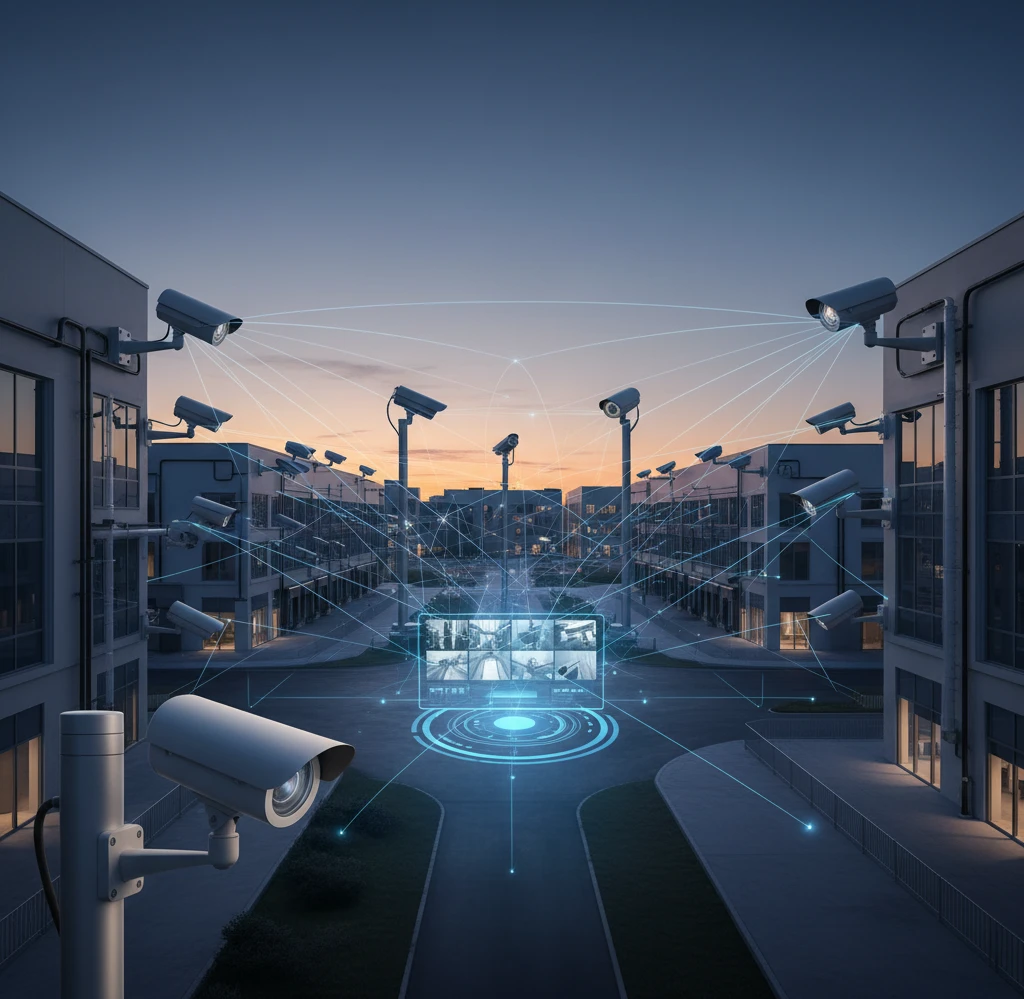
Conducting a Comprehensive Risk Assessment
The first step in designing a CCTV system that minimizes blindspots is conducting a comprehensive risk assessment. This involves identifying potential threats and vulnerabilities, evaluating the likelihood and impact of each risk, and determining the appropriate security measures. Start by examining past security incidents, such as theft, vandalism, or unauthorized access. Consult with employees, security personnel, and local law enforcement to gather insights into potential risks specific to your industry and location. Review your insurance policies to understand potential liability exposures. A thorough risk assessment provides a clear understanding of your security needs and helps prioritize areas requiring the most attention. This assessment forms the foundation for a well-designed and effective CCTV system.
Prioritizing Assets: What Needs the Most Protection?
Not all assets are created equal, and some require more protection than others. Identify your most valuable assets, including inventory, equipment, cash, intellectual property, and sensitive data. Consider the potential impact of loss or damage to each asset and prioritize security measures accordingly. For example, a warehouse storing high-value electronics would require more robust security than an office supply room. Similarly, areas containing confidential documents or computer servers need special protection to prevent data breaches. By prioritizing assets, you can allocate your security resources effectively and focus on protecting what matters most to your business. This targeted approach ensures that your CCTV system provides maximum value and minimizes the risk of significant losses. Think about integrating camera placement in areas where your employee time clocks are, as this might reduce internal theft.
Mapping Vulnerable Zones: Interior and Exterior Considerations
Mapping vulnerable zones involves identifying specific areas within and around your business premises that are most susceptible to security breaches. Interior considerations include entry points, hallways, storage rooms, cash handling areas, and server rooms. Exterior considerations include parking lots, loading docks, perimeter fences, and landscaping. Analyze each zone to identify potential weaknesses, such as inadequate lighting, obstructed views, or easy access. Consider factors such as foot traffic patterns, potential hiding places, and the presence of valuable assets. Create a detailed map of these vulnerable zones, highlighting areas requiring enhanced surveillance. For example, a dark alley behind your building might be a vulnerable zone requiring improved lighting and camera coverage. This mapping process ensures that your CCTV system addresses all potential points of entry and areas of concern.
Selecting the Right Commercial CCTV Cameras: A Strategic Approach
Camera Types and Their Ideal Applications (e.g., PTZ, Dome, Bullet)
Choosing the right camera type is crucial for minimizing blindspots and maximizing the effectiveness of your CCTV system. PTZ (Pan-Tilt-Zoom) cameras offer the flexibility to remotely adjust the camera’s view, allowing you to monitor a wide area and zoom in on specific details. They are ideal for large areas such as parking lots or warehouses. Dome cameras are discreet and vandal-resistant, making them suitable for indoor use in retail stores or offices. Bullet cameras are weatherproof and offer a fixed view, making them ideal for outdoor perimeter security. Each camera type has its strengths and weaknesses, and the optimal choice depends on the specific application. Consider the size of the area to be monitored, the lighting conditions, and the potential for vandalism or tampering when selecting the appropriate camera type.
Essential Camera Features: Resolution, Night Vision, Weatherproofing
Beyond camera type, several essential features contribute to minimizing blindspots. High resolution (e.g., 4K) ensures clear and detailed footage, enabling accurate identification of individuals and objects. Effective night vision capabilities, using infrared (IR) or starlight technology, are crucial for monitoring areas during low-light conditions. Weatherproofing (IP66 or higher rating) protects cameras from rain, snow, and dust, ensuring reliable performance in outdoor environments. Other important features include wide dynamic range (WDR) to handle varying lighting conditions, motion detection to trigger recording when activity is detected, and remote viewing capabilities for accessing footage from anywhere. Prioritizing these essential features ensures that your cameras capture high-quality footage in all conditions, minimizing blindspots and maximizing security effectiveness. Consider cameras that integrate with remote viewing platforms for enhanced real-time monitoring.
Understanding Lens Options and Field of View (FOV)
The lens of a CCTV camera determines its field of view (FOV), which is the area that the camera can see. A wide-angle lens provides a broad FOV, allowing you to monitor a large area with a single camera. However, wide-angle lenses can distort images and reduce the level of detail. A narrow-angle lens provides a narrower FOV but captures more detail, making it suitable for identifying objects or individuals at a distance. Choosing the right lens depends on the specific monitoring needs of each area. For example, a wide-angle lens might be suitable for monitoring a large parking lot, while a narrow-angle lens might be more appropriate for monitoring a doorway. Understanding lens options and FOV is crucial for optimizing camera coverage and minimizing blindspots. Consider using a lens calculator to determine the optimal lens size for each camera location.
Optimizing Camera Placement to Eliminate Blindspots
The Importance of Overlapping Camera Coverage
Overlapping camera coverage is a critical strategy for eliminating blindspots in your commercial CCTV system. By strategically positioning cameras so that their fields of view overlap, you can ensure that no area is left unmonitored. This redundancy provides multiple perspectives of the same area, allowing you to verify events and gather more detailed information. Overlapping coverage also mitigates the risk of camera failure or obstruction. If one camera is damaged or blocked, other cameras can still provide surveillance of the area. Implement overlapping coverage in critical areas such as entry points, loading docks, and cash handling areas. This layered approach provides a comprehensive and reliable security solution.
Strategic Positioning for Maximum Visibility (Elevation, Angles)
Strategic camera positioning is essential for maximizing visibility and minimizing blindspots. Mount cameras at an appropriate elevation to avoid obstructions and provide a clear view of the area. Consider the angle of the camera to ensure that it captures the most relevant information. For example, mounting a camera at a downward angle can provide a better view of faces and prevent glare from sunlight. Avoid positioning cameras directly facing windows or bright lights, as this can cause overexposure and reduce image quality. Consider the potential for vandalism or tampering when selecting camera locations and choose vandal-resistant housings if necessary. Experiment with different camera positions to find the optimal balance between coverage and visibility. Working with a professional installer will help to ensure optimal results and minimize blindspots.
Addressing Environmental Challenges: Lighting, Obstructions
Environmental factors such as lighting and obstructions can significantly impact the effectiveness of your CCTV system. Poor lighting can reduce image quality and create blindspots, while obstructions such as trees, buildings, or vehicles can block the camera’s view. Address these challenges by installing supplemental lighting to improve visibility in dark areas. Trim trees and shrubs to remove obstructions and ensure a clear field of view. Consider using cameras with wide dynamic range (WDR) to handle varying lighting conditions. Regularly inspect your camera system to identify and address any new obstructions or lighting issues. By proactively addressing environmental challenges, you can ensure that your CCTV system provides consistent and reliable surveillance, minimizing blindspots and maximizing security effectiveness.
Structured Cabling and PoE (Power over Ethernet): The Backbone of a Reliable System
A robust and well-planned structured cabling system is the foundational element for any commercial CCTV deployment. It’s not simply about running wires; it’s about designing a network infrastructure capable of handling the bandwidth demands of high-resolution video, ensuring reliable power delivery, and facilitating future scalability. Poor cabling can lead to intermittent connectivity, reduced image quality, and system downtime – ultimately negating the investment in high-end cameras. A reliable network also supports remote viewing and monitoring.
Why Professional Installation is Crucial for Network Performance
While it might be tempting to cut costs with DIY cabling, professional installation is crucial for optimal network performance. Certified installers understand industry standards, proper cable termination techniques, and best practices for minimizing interference. They can also perform thorough testing to ensure the entire cabling infrastructure meets the required specifications. A professional installation includes detailed documentation, making troubleshooting and future upgrades easier. Choosing a qualified installer, ideally one experienced with structured cabling for business security camera systems, is an investment that pays off in system reliability and longevity. Factors to consider when selecting an installer include certifications, years of experience, references, and insurance coverage.
The Benefits of PoE for CCTV Systems
Power over Ethernet (PoE) offers significant advantages for CCTV systems. It allows both data and power to be transmitted over a single Ethernet cable, simplifying installation and reducing costs. This eliminates the need for separate power outlets at each camera location, providing greater flexibility in camera placement. PoE also centralizes power management, making it easier to monitor and control power consumption. In the event of a power outage, a UPS (Uninterruptible Power Supply) connected to the network switch can keep the cameras running. PoE+ and PoE++ standards support higher power requirements for advanced cameras with features like pan-tilt-zoom (PTZ) and infrared (IR) illumination. Selecting the right PoE standard is crucial for ensuring adequate power delivery and avoiding system instability.
Future-Proofing Your Cabling Infrastructure
When designing your cabling infrastructure, it’s essential to consider future needs and technological advancements. Using high-quality Cat6a or Cat7 cables provides ample bandwidth for current and future video resolutions. Implementing a modular design with spare capacity allows for easy expansion and upgrades without requiring a complete overhaul. Consider the physical environment and choose cables that are suitable for the conditions (e.g., outdoor-rated cables for exterior cameras, plenum-rated cables for areas with air circulation). Planning for the future ensures your cabling infrastructure can support evolving security requirements and new camera technologies for years to come. Partnering with a security provider offering scalable security camera systems will also help you plan for the future.
Video Recording and Storage: Balancing Retention with Compliance
Video recording and storage are critical components of a commercial CCTV system, dictating how long footage is retained and how easily it can be accessed. The key is to find the right balance between storage capacity, recording quality, and compliance requirements. Insufficient storage can lead to overwriting crucial footage, while excessive retention can increase costs and create unnecessary data management burdens. A well-defined video retention policy is essential for ensuring compliance with applicable regulations and protecting your business from potential liabilities. The goal is to capture useful footage without creating excessive overhead. For example, a warehouse might need longer retention times than a retail store due to potential inventory discrepancies.
Determining Optimal Recording Schedules and Resolution
Optimal recording schedules and resolution settings depend on the specific security needs of your business. Continuous recording provides comprehensive coverage but requires significant storage capacity. Motion-activated recording conserves storage space by only recording when motion is detected, but it may miss critical events if the motion detection is not properly configured. Consider using a combination of both, with continuous recording during business hours and motion-activated recording after hours. Higher resolution provides more detail but also increases storage requirements. Experiment with different resolution settings to find the optimal balance between image quality and storage consumption. A common pitfall is setting the resolution too high, leading to rapid storage depletion and poor system performance. For example, focusing higher resolution on entrances and exits, while using lower resolution for general areas, may prove optimal.
Understanding Data Storage Options: Local vs. Cloud
There are two primary data storage options for CCTV systems: local storage and cloud storage. Local storage involves storing footage on-site, typically on a network video recorder (NVR) or server. This provides greater control over data security and eliminates the need for an internet connection. However, it also requires managing and maintaining the storage hardware. Cloud storage involves storing footage off-site in a secure data center. This offers scalability, redundancy, and remote accessibility, but it also depends on a reliable internet connection and incurs recurring subscription fees. Consider a hybrid approach that combines local and cloud storage, providing both on-site access and off-site backup. Factors to consider when choosing a storage option include cost, security, scalability, and internet connectivity.
Meeting Regulatory Requirements for Video Retention (PIPEDA Considerations)
Businesses operating in Canada must comply with the Personal Information Protection and Electronic Documents Act (PIPEDA) when collecting, using, and disclosing personal information, including video footage. PIPEDA requires businesses to obtain consent for collecting personal information, limit the amount of information collected, and retain it only as long as necessary. Implement a clear video retention policy that outlines the purpose of the CCTV system, the types of data collected, the retention period, and the procedures for accessing and deleting footage. Ensure employees are trained on the policy and that it is readily available to customers and visitors. Regularly review and update the policy to reflect changes in regulations and business practices. Failure to comply with PIPEDA can result in fines and reputational damage. Seek legal advice to ensure your CCTV system and video retention policy comply with all applicable laws and regulations. Always consider the potential for misuse and implement safeguards to protect individual privacy.
Remote Viewing and Mobile Access: Staying Connected to Your Security
Remote viewing and mobile access are essential features of modern commercial CCTV systems, allowing business owners and authorized personnel to monitor their premises from anywhere with an internet connection. This provides increased situational awareness, enabling timely responses to security threats and operational issues. Remote access also streamlines operations by allowing managers to remotely verify deliveries, monitor employee activity, and troubleshoot equipment problems. Properly implemented, remote viewing enhances security and improves operational efficiency. Choosing the right remote viewing platform is crucial for a seamless and secure experience.
The Advantages of Mobile CCTV Monitoring for Business Owners
Mobile CCTV monitoring offers numerous advantages for business owners. It allows them to stay connected to their business even when they are away, providing peace of mind and enabling them to respond quickly to emergencies. Mobile apps provide real-time video feeds, playback capabilities, and push notifications for events such as motion detection or alarm triggers. This allows business owners to remotely verify alarms, dispatch security personnel, and coordinate with law enforcement. Mobile monitoring also provides valuable insights into employee performance, customer traffic, and operational efficiency. However, security is paramount when accessing CCTV systems remotely. Ensure the mobile app uses strong encryption and multi-factor authentication to protect against unauthorized access. For instance, a dealership owner can use mobile viewing to ensure vehicles are properly secured after hours, preventing potential theft.
Secure Access Control and User Permissions
Implementing robust access control and user permissions is crucial for maintaining the security and privacy of your CCTV system. Restrict access to the system to authorized personnel only and assign different levels of permissions based on their roles and responsibilities. For example, security guards may have full access to view live feeds and playback recordings, while managers may only have access to specific cameras or time periods. Use strong passwords and multi-factor authentication to protect against unauthorized access. Regularly review and update user permissions to reflect changes in personnel and responsibilities. Audit access logs to identify any suspicious activity. A common pitfall is granting excessive permissions, which increases the risk of unauthorized access and data breaches. Implementing a least-privilege approach, where users are only granted the minimum permissions necessary to perform their duties, is recommended.
Real-Time Alerts and Notifications for Immediate Response
Real-time alerts and notifications are essential for enabling immediate response to security threats and operational issues. Configure the CCTV system to send notifications to authorized personnel when specific events occur, such as motion detection in restricted areas, alarm triggers, or camera tampering. Customize the notifications to include relevant information, such as the camera location, the time of the event, and a snapshot of the video. Integrate the CCTV system with other security systems, such as access control and alarm systems, to provide a comprehensive security solution. Ensure the notification system is reliable and that notifications are delivered promptly. Regularly test the notification system to verify its functionality. A manufacturing plant, for example, could set up alerts for unauthorized entry into restricted areas, allowing security personnel to quickly investigate and prevent potential theft or vandalism. Make sure your Commercial CCTV Mississauga system has these capabilities.
Alternatives to On-Premise CCTV Systems (and When to Choose Them)
While traditional on-premise CCTV systems remain a popular choice for many businesses, alternative solutions such as cloud-based video surveillance and managed security services offer distinct advantages and may be better suited for certain situations. The decision to choose an on-premise, cloud-based, or hybrid solution depends on factors such as budget, technical expertise, security requirements, and scalability needs. Understanding the pros and cons of each option is crucial for making an informed decision that aligns with your business objectives. Consider the long-term costs, including maintenance, upgrades, and IT support, when evaluating different solutions. A business owner looking to secure multiple locations, for example, might find cloud-based solutions more cost-effective than managing separate on-premise systems at each location.
Cloud-Based Video Surveillance (VSaaS) Advantages and Disadvantages
Cloud-based video surveillance (VSaaS) offers several advantages over traditional on-premise systems. These include reduced upfront costs, simplified installation and maintenance, scalability, and remote accessibility. VSaaS providers typically handle all the hardware, software, and storage, allowing businesses to focus on their core operations. Cloud storage eliminates the need for on-site servers and NVRs, reducing capital expenditures and IT overhead. However, VSaaS also has some disadvantages, including recurring subscription fees, dependence on a reliable internet connection, and potential security concerns related to data storage in the cloud. Carefully evaluate the security measures implemented by the VSaaS provider and ensure they comply with industry standards and regulations. Also, consider the bandwidth requirements of cloud-based video surveillance and ensure your internet connection can handle the traffic. An Example: A retail chain with multiple stores might choose VSaaS to simplify security management and reduce IT costs, while a high-security facility might prefer an on-premise system for greater control over data security.
Managed Security Services (MSSP): Outsourcing Your Security Monitoring
Managed Security Services Providers (MSSPs) offer comprehensive security solutions, including CCTV monitoring, alarm response, and threat detection. By outsourcing your security monitoring to an MSSP, you can benefit from 24/7 professional monitoring, reduced operational costs, and improved security posture. MSSPs typically employ trained security professionals who can quickly identify and respond to security threats, minimizing potential damage. They also provide regular security assessments, vulnerability scans, and incident response planning. However, outsourcing your security monitoring also means relinquishing some control over your security operations. Carefully vet potential MSSPs and ensure they have the experience, expertise, and resources to meet your specific security needs. Check their certifications, references, and incident response capabilities. Also, consider the cost of MSSP services and compare it to the cost of managing your security in-house. A small business with limited IT resources might choose an MSSP to provide comprehensive security monitoring, while a large enterprise with a dedicated security team might prefer to manage its security in-house. A company with multiple locations may find an MSSP provides a more consistent level of service than trying to manage multiple in-house teams.
Hybrid Solutions: Combining On-Premise and Cloud Technologies
Hybrid solutions combine the benefits of both on-premise and cloud technologies, offering a flexible and scalable security solution. A hybrid system might use on-premise storage for local recording and cloud storage for off-site backup. It could also use on-premise servers for core security functions and cloud-based analytics for advanced threat detection. Hybrid solutions allow businesses to tailor their security systems to their specific needs and budget, balancing cost, security, and scalability. They also provide redundancy, ensuring that footage is always available even in the event of a network outage. When implementing a hybrid solution, ensure the on-premise and cloud components are seamlessly integrated and that data is securely transferred between them. Also, consider the complexity of managing a hybrid system and ensure you have the IT expertise to support it. Example: A warehouse might use on-premise storage for continuous recording and cloud storage for archiving footage, providing both local access and off-site backup. Partnering with a firm that is adept at providing commercial security cameras for secure multi-location businesses is ideal.
Commercial CCTV System Maintenance: Ensuring Long-Term Performance
Regular System Checkups: A Preventative Approach
Proactive commercial CCTV system maintenance is vital for guaranteeing consistent performance and minimizing unexpected downtime. Implementing a schedule for regular system checkups is a smart approach. These checkups should include a comprehensive inspection of all cameras, ensuring they are correctly positioned, focused, and free from obstructions. For instance, accumulated dirt or spiderwebs can significantly impair image quality, leading to blind spots. Beyond the cameras, all cabling, connectors, and power supplies should be inspected for wear and tear, corrosion, or damage. Damaged structured cabling, for example, can cause intermittent signal loss or even complete system failure. A detailed log of each checkup, including any issues identified and the corrective actions taken, should be maintained to track the system’s health over time. This information can be invaluable for identifying recurring problems and making informed decisions about system upgrades or component replacements. Aim for quarterly check-ups at a minimum, with more frequent checks for systems in harsh environments like warehouses or manufacturing facilities.
Software Updates and Firmware Management
Just like any other technology, commercial CCTV systems rely on software and firmware to operate effectively. Keeping these components up-to-date is crucial for maintaining system security, compatibility, and performance. Software updates often include critical security patches that address vulnerabilities that could be exploited by cybercriminals. They may also include performance improvements, new features, and compatibility updates to ensure seamless integration with other security systems. Firmware updates, on the other hand, primarily focus on the internal operations of the cameras and recording devices. Regularly checking for and installing these updates is essential. Neglecting firmware updates can lead to system instability, reduced functionality, and increased vulnerability to cyberattacks. Implementing a centralized management system for software and firmware updates can significantly simplify this process, especially for businesses with multi-camera setups or multiple locations. Establish a process for testing updates in a non-production environment before widespread deployment to mitigate potential compatibility issues.
Addressing Common Technical Issues and Troubleshooting Tips
Even with regular maintenance, technical issues can still arise in a commercial CCTV system. Some common problems include blurry images, signal loss, recording failures, and network connectivity issues. Having a basic understanding of troubleshooting techniques can help resolve these issues quickly and efficiently. For blurry images, check the camera lens for dirt or obstructions and adjust the focus as needed. Signal loss can often be traced to faulty cabling or connectors. Use a cable tester to verify the integrity of the cabling and replace any damaged connectors. Recording failures may be due to insufficient storage space, incorrect recording settings, or hardware malfunctions. Ensure that the recording device has ample storage capacity and that the recording settings are properly configured. Network connectivity issues can be caused by IP address conflicts, firewall restrictions, or faulty network hardware. Verify that the cameras and recording devices have unique IP addresses and that the firewall is not blocking network traffic. When troubleshooting more complex issues, consulting with a qualified security technician is always recommended. Consider investing in a remote monitoring solution to receive immediate alerts for critical system failures.
Partnering with a Trusted Security Integrator in Mississauga, Brampton, and the GTA
The Value of Local Expertise and Support
Selecting the right security integrator can significantly impact the success of your commercial CCTV system. Opting for a local provider, especially in areas like Mississauga, Brampton, and the broader GTA, offers several distinct advantages. Local integrators possess a deeper understanding of the specific security challenges faced by businesses in the region, including crime rates, common vulnerabilities, and local regulations. This knowledge allows them to design tailored security solutions that effectively address your unique needs. Furthermore, local support is readily available, ensuring prompt assistance when technical issues arise. Having a technician on-site quickly can minimize downtime and prevent potential security breaches. Local integrators are also more likely to have established relationships with local law enforcement and other security professionals, which can be valuable in the event of an incident. They can also offer better pricing because they understand their competitors.
Choosing a Provider with Proven Experience in Commercial CCTV
When selecting a security integrator, prioritize experience in commercial CCTV systems. A provider with a proven track record of successful installations and satisfied clients is more likely to deliver a reliable and effective security solution. Look for integrators who specialize in commercial security rather than residential systems. Commercial CCTV systems typically involve more complex configurations, integration with other security systems, and adherence to stricter regulations. Ask for references from other businesses in your industry and take the time to review case studies showcasing their past work. Inquire about the certifications and training of their technicians, ensuring they are qualified to install and maintain the specific types of cameras and recording devices you are considering. A good integrator will also conduct a thorough site assessment to identify potential vulnerabilities and recommend the most appropriate camera placements and system configurations. They should also be able to demonstrate a solid understanding of scalable systems to accommodate future growth.
Understanding Service Level Agreements (SLAs) and Warranty Options
Before committing to a security integrator, carefully review their service level agreements (SLAs) and warranty options. An SLA outlines the level of service you can expect from the provider, including response times for technical support, uptime guarantees, and preventative maintenance schedules. A comprehensive SLA provides peace of mind, knowing that your security system will be promptly addressed in the event of an issue. Warranty options protect you against defects in the hardware and software components of your CCTV system. Understand the duration of the warranty, what it covers, and the process for filing a claim. Some integrators offer extended warranties for an additional fee, which can provide added protection over the long term. Negotiate the terms of the SLA and warranty to ensure they meet your specific needs and expectations. Don’t hesitate to ask questions and clarify any ambiguities before signing the contract. Ideally, the SLA should address remote system monitoring, which is crucial to ensure system health.
ROI and Beyond: Quantifying the Benefits of a Well-Designed Commercial CCTV System
Reduced Theft and Vandalism: Direct Cost Savings
One of the most immediate and quantifiable benefits of a well-designed commercial CCTV system is the reduction in theft and vandalism. Visible security cameras act as a deterrent, discouraging potential criminals from targeting your business. Studies have shown that businesses with CCTV systems experience significantly lower rates of property crime compared to those without. Beyond deterring crime, CCTV systems also provide valuable evidence in the event of a theft or vandalism incident. High-quality video footage can help law enforcement identify and apprehend perpetrators, increasing the chances of recovering stolen property and holding criminals accountable. This can lead to direct cost savings in terms of reduced losses from theft, lower insurance premiums, and fewer repairs from vandalism damage. The placement of cameras is crucial; strategic placement in high-risk areas, such as loading docks, parking lots, and entry points, maximizes their effectiveness.
Improved Operational Efficiency and Employee Productivity
Beyond security, commercial CCTV systems can also enhance operational efficiency and employee productivity. Cameras strategically placed throughout your facility can provide valuable insights into workflow processes, identify bottlenecks, and improve overall efficiency. For example, in a warehouse setting, cameras can be used to monitor inventory levels, track the movement of goods, and identify areas where processes can be streamlined. In a retail environment, cameras can be used to monitor customer traffic patterns, optimize store layouts, and improve customer service. CCTV footage can also be used to train employees, identify areas for improvement, and ensure compliance with company policies. Some systems even integrate with analytics software to provide real-time data on operational performance, allowing you to make informed decisions and optimize your business processes. Investing in a business security camera system is not just about stopping crime; it’s about improving your business.
Enhanced Safety and Liability Protection
A commercial CCTV system can play a crucial role in enhancing safety and mitigating liability risks. By providing visual monitoring of your premises, CCTV systems can help identify potential safety hazards, such as slip-and-fall risks, unsafe working conditions, and security breaches. For example, cameras can be used to monitor loading docks to ensure that employees are following safety protocols when operating forklifts or handling hazardous materials. In the event of an accident or injury, CCTV footage can provide valuable evidence to determine the cause of the incident and prevent future occurrences. This can help reduce liability claims, lower insurance costs, and protect your business from costly litigation. Moreover, visible security cameras can reassure employees and customers that their safety is a priority, creating a more secure and comfortable environment. Documented safety protocols are a vital component of mitigating liability risks.
Upgrade or Retrofit: Breathe New Life into your Existing Security System
Identifying outdated equipment
Recognizing the signs of an outdated CCTV system is the first step in deciding whether to upgrade or retrofit. Common indicators include poor image quality, limited storage capacity, lack of remote viewing capabilities, and compatibility issues with newer technologies. Systems relying on analog technology, for instance, may struggle to provide the clarity and detail offered by modern IP cameras. Consider cameras with low resolution or those that produce grainy, distorted images as candidates for replacement. Mechanical PTZ (pan-tilt-zoom) cameras with worn motors can be less reliable and offer inferior performance compared to digital PTZ functionality. The age of the NVR (Network Video Recorder) is also important; older NVRs may lack the processing power or storage capacity to handle high-resolution video from multiple cameras. A system that’s constantly experiencing technical glitches or requiring frequent repairs is a clear sign that it’s time for an upgrade. Furthermore, if your current system lacks features like motion detection, facial recognition, or integration with other security systems, it may be hindering your ability to effectively protect your business.
Incorporating new technology with legacy systems
Upgrading a CCTV system doesn’t always necessitate a complete overhaul. In many cases, it’s possible to integrate new technology with existing legacy systems, allowing you to leverage your previous investment while enhancing overall performance. For example, you might replace older analog cameras with newer IP cameras while retaining the existing cabling infrastructure, depending on its condition and compatibility. PoE (Power over Ethernet) switches can simplify installation and reduce cabling costs by providing both power and data transmission over a single cable. Utilizing existing network infrastructure is key; however, a network assessment to determine whether it can handle increased bandwidth of new cameras is crucial. Modern encoders can convert analog video signals into digital format, enabling them to be integrated into IP-based systems. Similarly, hybrid DVRs (Digital Video Recorders) can support both analog and IP cameras, providing a cost-effective way to transition to a fully digital system over time. Before integrating new technology, ensure compatibility with your existing system to avoid performance issues. The benefits of remote viewing, enabled by newer technology, are significant.
Increasing security coverage with minimal downtime
When upgrading or retrofitting a commercial CCTV system, minimizing downtime is critical. Prolonged downtime can leave your business vulnerable to security threats and disrupt operations. To minimize disruptions, carefully plan the upgrade process and coordinate with your security integrator to schedule the work during off-peak hours. Phased upgrades, where portions of the system are upgraded at a time, can help minimize downtime compared to a complete system replacement. Prioritize the most critical areas first, such as entry points, high-value asset storage areas, and loading docks. Utilize temporary camera systems to maintain security coverage during the upgrade process. Thoroughly test each component of the upgraded system before going live to ensure it’s functioning properly. Consider using wireless cameras in areas where running new cabling is difficult or costly. Finally, provide adequate training to your staff on the new system features to ensure they can effectively utilize the system’s capabilities. Planning minimizes the impact of the changes.
In conclusion, a well-maintained and strategically designed commercial CCTV system offers a multitude of benefits for businesses. From reducing theft and improving operational efficiency to enhancing safety and mitigating liability risks, the ROI of a robust security system extends far beyond simple cost savings. Partnering with a trusted local security integrator and prioritizing regular maintenance are essential for maximizing the long-term value of your investment.