
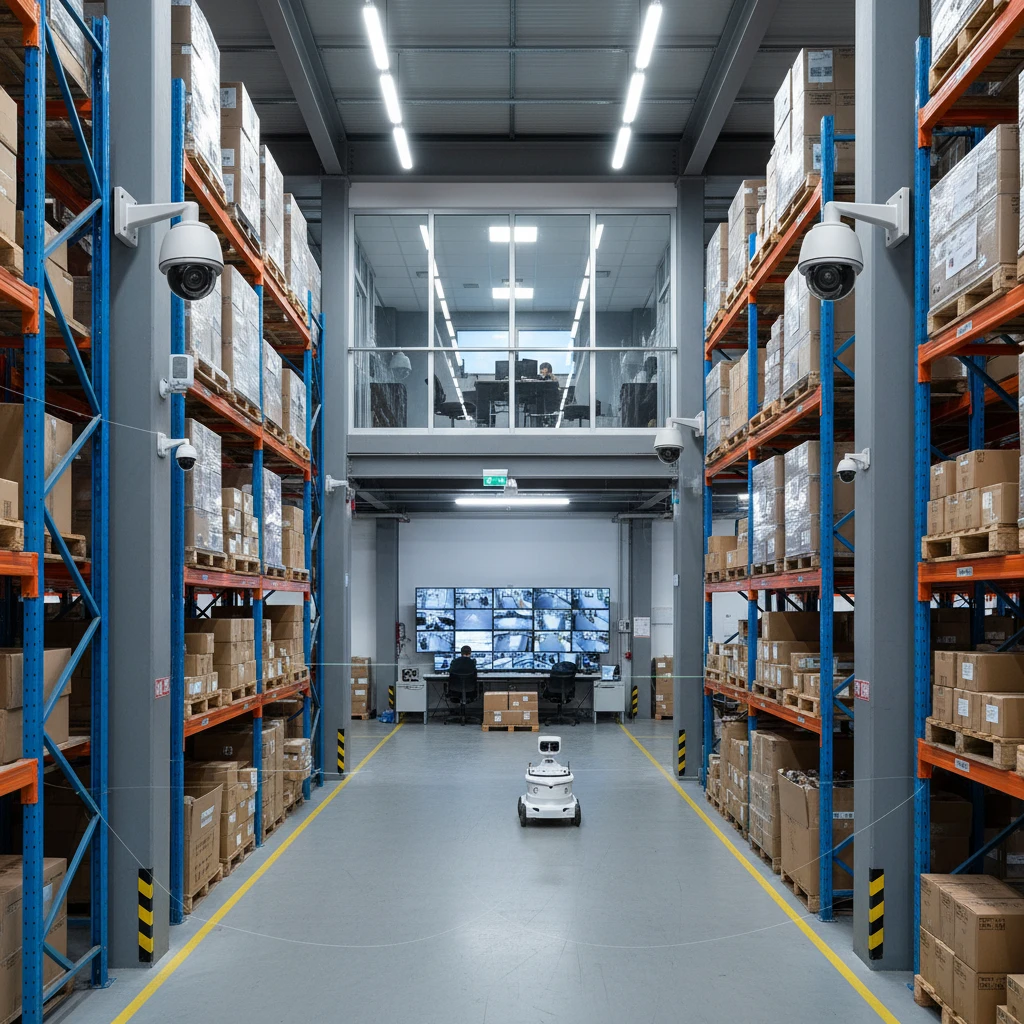
Warehouses face unique security challenges, from inventory theft and vandalism to workplace safety concerns. A well-designed commercial CCTV system is no longer just about loss prevention; it’s a strategic investment that can improve operational efficiency, enhance safety, and ensure regulatory compliance.
This guide provides actionable best practices for implementing a robust commercial CCTV solution in your warehouse, tailored for businesses in Mississauga, Brampton, and the broader Greater Toronto Area. We’ll explore strategic camera placement, essential features, and the latest advancements in CCTV technology, all to help you maximize your return on investment.
Beyond Loss Prevention: Maximizing CCTV ROI in Your Warehouse (Updated for 2026)
The evolving role of CCTV in warehouse operations (safety, productivity, compliance)
While deterring theft remains a primary function, modern CCTV systems offer a wealth of additional benefits for warehouse operations. They play a crucial role in promoting workplace safety by monitoring adherence to safety protocols, identifying potential hazards, and providing video evidence in the event of accidents. This can significantly reduce liability and insurance costs. Furthermore, CCTV footage can be used to analyze workflows, identify bottlenecks, and optimize warehouse layouts, leading to improved productivity. Finally, many industries have compliance regulations regarding security and safety, and a comprehensive CCTV system can help your warehouse meet these requirements, providing audit trails and documented proof of adherence.
Quantifying the ROI of a professionally installed system
Calculating the ROI of a CCTV system involves considering both tangible and intangible benefits. Tangible benefits include a reduction in inventory shrinkage, lower insurance premiums, and decreased security personnel costs. Let’s say a warehouse experiences \$20,000 in inventory losses annually. A CCTV system costing \$10,000 could potentially reduce those losses by 75%, saving \$15,000 per year. Intangible benefits, such as improved employee morale and a safer work environment, are harder to quantify but contribute significantly to the overall ROI. A professionally designed and installed system, like those offered by AYS Security in Mississauga, ensures optimal coverage and system performance, maximizing these benefits. Remember to factor in ongoing maintenance and potential upgrade costs for a complete ROI picture.
Understanding the latest advancements in commercial CCTV technology
The field of commercial CCTV is constantly evolving. Key advancements include higher resolution cameras (4K and beyond), improved low-light performance, and advanced analytics capabilities. AI-powered analytics can automatically detect unusual activity, such as loitering or unauthorized access, and send alerts to security personnel. Cloud-based video storage offers scalability and remote access, while advanced compression technologies reduce storage costs. Furthermore, integration with other security systems, such as access control and alarm systems, provides a unified security solution. Keeping abreast of these advancements ensures that your CCTV system remains effective and future-proof. Consider exploring options for upgrading your commercial CCTV to leverage these technologies.
Strategic Camera Placement: Covering Critical Warehouse Zones

Loading docks and receiving areas: Preventing theft and damage
Loading docks are high-risk areas for theft and damage, making strategic camera placement crucial. Position cameras to capture clear views of incoming and outgoing shipments, as well as the license plates of vehicles entering and exiting the area. Use cameras with wide dynamic range (WDR) to handle the varying light conditions often found in loading docks. Consider installing cameras inside the warehouse to monitor the handling of goods and prevent damage during loading and unloading. Ensure sufficient lighting in the area, and utilize weatherproof cameras that can withstand harsh conditions. These cameras also act as a deterrent, making potential thieves think twice. Remember to regularly review footage from these cameras to identify any vulnerabilities in your security protocols.
Inventory storage aisles: Enhancing visibility and accountability
Inventory storage aisles are prime targets for theft and require comprehensive surveillance. Place cameras at the end of aisles to capture a wide view of the area. Use cameras with high resolution to identify specific items and individuals. Consider installing PTZ (pan-tilt-zoom) cameras to allow security personnel to remotely monitor the aisles and zoom in on suspicious activity. Implement a clear labeling system for storage locations to facilitate easy identification during video review. Integrating your business security cameras into your warehouse management system (WMS) can further enhance accountability and streamline investigations. Regularly audit your inventory and review CCTV footage to identify discrepancies and potential theft.
Perimeter security: Deterring unauthorized access
Securing the perimeter of your warehouse is essential to prevent unauthorized access and deter potential intruders. Install cameras along the fence line, at gates, and near any potential entry points. Use infrared (IR) cameras to provide clear visibility in low-light conditions. Consider deploying video analytics to detect perimeter breaches, such as someone climbing the fence or approaching the building after hours. Integrate your perimeter security cameras with an alarm system to provide an immediate response to potential threats. Regularly inspect the perimeter for vulnerabilities, such as damaged fences or overgrown vegetation that could provide cover for intruders. Professional security companies often suggest having layered security to maximize safety. For instance, an exterior fence, security system, and CCTV camera system could be combined for optimal perimeter protection.
Employee entrances and exits: Monitoring access control
Employee entrances and exits are critical points for monitoring access control and preventing unauthorized entry or exit. Install cameras to capture clear images of employees entering and leaving the building. Integrate your CCTV system with your access control system to record who is entering and exiting the building and when. This helps keep track of employee movements. Consider using facial recognition technology to automate access control and improve security. Implement a clear policy regarding employee access and ensure that all employees are aware of the surveillance. Regularly review footage from these cameras to identify any unauthorized activity or breaches of security protocol. Ethical considerations regarding employee privacy should also be taken into account, so make sure employees are aware of the cameras and the purpose of the monitoring, to comply with any applicable legislation.
Selecting the Right Camera Type for Your Warehouse Environment
PTZ cameras vs. fixed cameras: Choosing the optimal field of view
Choosing between PTZ (pan-tilt-zoom) and fixed cameras depends on the specific needs of your warehouse. PTZ cameras offer a wider field of view and the ability to remotely pan, tilt, and zoom, making them ideal for monitoring large areas or tracking moving objects. However, they require active monitoring and can only focus on one area at a time. Fixed cameras, on the other hand, provide a constant, unblinking view of a specific area. They are less expensive and require less maintenance than PTZ cameras. For warehouses, a combination of both types of cameras is often the best solution. Use fixed cameras to cover critical areas, such as loading docks and entrances, and use PTZ cameras to monitor larger areas or respond to specific events. Consider the cost, coverage area, and monitoring requirements when making your decision.
Infrared (IR) cameras for low-light conditions: Ensuring 24/7 surveillance
Warehouses often have areas with limited or no lighting, making infrared (IR) cameras essential for ensuring 24/7 surveillance. IR cameras use infrared light to illuminate the scene, providing clear images even in complete darkness. The strength and range of the IR illumination are important factors to consider. Ensure that the IR illumination is powerful enough to cover the entire area being monitored. Some IR cameras also have smart IR technology, which adjusts the IR illumination based on the distance of the object, preventing overexposure. When selecting IR cameras, consider the ambient light levels in the area, the range of the IR illumination, and the presence of any reflective surfaces that could interfere with the IR light.
Weatherproof and vandal-resistant cameras: Protecting your investment
Warehouse environments can be harsh, with exposure to dust, moisture, and extreme temperatures. It’s essential to choose weatherproof and vandal-resistant cameras to protect your investment. Weatherproof cameras are designed to withstand rain, snow, and other environmental conditions. Vandal-resistant cameras are constructed with durable materials and tamper-proof designs to prevent damage from vandalism or theft. Look for cameras with an IP66 or IP67 rating for water and dust resistance, and a high IK rating for impact resistance. Housing the cables properly using structured cabling can also protect your system. Investing in these types of cameras ensures that your CCTV system remains operational and effective, even in challenging conditions.
High-resolution cameras: Capturing clear and detailed footage
High-resolution cameras are crucial for capturing clear and detailed footage that can be used to identify individuals, read license plates, and investigate incidents. The higher the resolution, the more detail the camera can capture. While 4K cameras offer the highest resolution, they also require more storage space and bandwidth. Consider the size of the area being monitored and the level of detail required when choosing the resolution of your cameras. A 1080p camera may be sufficient for general surveillance, while a 4K camera may be necessary for areas where detailed identification is critical. Ensure that your recording system can support the resolution of your cameras.
Essential Features: License Plate Recognition (LPR) and Facial Recognition
Implementing LPR for truck and vehicle management
License Plate Recognition (LPR) technology can significantly enhance truck and vehicle management at your warehouse. LPR cameras automatically capture and recognize license plates of vehicles entering and exiting the premises. This information can be used to track vehicle movements, manage access control, and identify suspicious vehicles. Implement LPR cameras at entrances and exits to capture license plates. Integrate LPR data with your warehouse management system (WMS) to automate vehicle tracking and streamline logistics. Set up alerts to notify security personnel of unauthorized vehicles or suspicious activity. Ensure that your LPR system is accurate and reliable by regularly calibrating the cameras and maintaining the database of license plates.
Using facial recognition for access control and employee time tracking (compliance considerations)
Facial recognition technology can be used for access control and employee time tracking, improving security and efficiency. Facial recognition cameras automatically identify individuals and grant or deny access based on pre-approved profiles. This eliminates the need for key cards or PIN codes, reducing the risk of unauthorized access. Facial recognition can also be used to track employee time and attendance, automating payroll and reducing errors. However, the use of facial recognition technology raises privacy concerns. Ensure that you comply with all applicable privacy laws and regulations. Obtain employee consent before collecting and using their facial data. Implement strong security measures to protect the privacy of facial recognition data. Transparency is key. Make sure employees are fully informed about how their data will be used. This is particularly important in Ontario due to PIPEDA regulations. Consult with legal counsel to ensure compliance.
Integrating LPR/Facial Recognition with existing security systems
Integrating LPR and facial recognition with your existing security systems can create a unified and more effective security solution. Integrate LPR data with your access control system to automatically grant or deny access to vehicles based on their license plates. Integrate facial recognition data with your alarm system to trigger alerts when unauthorized individuals are detected. Integrate LPR and facial recognition data with your video management system (VMS) to streamline investigations and provide a comprehensive view of security events. Ensure that your security systems are compatible with each other and that the integration is seamless and reliable. For example, you can use the data provided by LPR/facial recognition to trigger notifications on your remote video monitoring platform. Regular testing and maintenance are essential to ensure that the integrated system is functioning properly.
Optimizing Network Infrastructure for Reliable CCTV Performance
A robust network infrastructure is the backbone of any reliable commercial CCTV system. Insufficient bandwidth, poor cabling, and inadequate security measures can severely impact system performance, leading to dropped video feeds, delayed alerts, and increased vulnerability to cyber threats. For optimal performance, careful planning and execution are essential when integrating your commercial CCTV system with your existing network.
Structured cabling and PoE considerations for commercial CCTV systems
Investing in structured cabling is a cornerstone of reliable CCTV performance. Using high-quality Cat5e or Cat6 cables minimizes signal degradation and ensures consistent data transmission. Proper cable termination and organization are crucial to prevent network bottlenecks and simplify troubleshooting. Power over Ethernet (PoE) further streamlines installations by delivering both power and data over a single cable, reducing the need for separate electrical outlets. However, ensure your PoE switches have sufficient power budget to support all connected cameras, especially those with features like IR illumination or PTZ functionality. A professional installation ensures adherence to industry best practices, mitigating potential issues down the line. Consider the environment of your warehouse – is it temperature controlled? Are there areas with high EMI that may require shielded cable? A site survey can reveal these factors before installation begins. Remember, a well-planned cabling infrastructure supports the current system and allows for future expansion.
Bandwidth requirements and network capacity planning
Before deploying your CCTV system, conduct thorough bandwidth analysis. Each camera consumes a certain amount of bandwidth depending on its resolution, frame rate, and video compression. Calculate the total bandwidth required by all cameras and compare it to your network’s available capacity. Insufficient bandwidth leads to video lag, buffering, and even complete system failure. To prevent this, consider implementing Quality of Service (QoS) policies to prioritize video traffic over less critical data. Utilizing efficient video compression codecs like H.265 can significantly reduce bandwidth consumption without sacrificing video quality. Regularly monitor network performance and adjust settings as needed to maintain optimal system function. If you’re planning a scalable commercial CCTV system, factor in future camera additions from the start.
Ensuring network security to prevent hacking and data breaches
CCTV systems are increasingly vulnerable to cyberattacks, so implementing robust network security measures is paramount. Start by changing default passwords for all cameras and network devices. Enable strong encryption protocols (e.g., HTTPS, SSL/TLS) to protect data transmitted over the network. Implement a firewall to restrict unauthorized access to the CCTV system. Regularly update firmware on cameras and network devices to patch security vulnerabilities. Consider segmenting the CCTV network from the main business network to isolate potential breaches. Implement multi-factor authentication for remote access. Periodically perform vulnerability assessments and penetration testing to identify and address potential weaknesses in your security posture. Training employees about phishing and social engineering tactics is crucial in preventing breaches. For businesses needing high-security solutions, working with experienced professionals to conduct a thorough CCTV system design is a must.
Power Over Ethernet (PoE) Advantages for Warehouse CCTV Installations
Power over Ethernet (PoE) offers significant advantages for warehouse CCTV installations. The most notable benefit is the simplified installation process. By delivering both power and data through a single cable, PoE eliminates the need for separate electrical wiring at each camera location. This reduces installation costs and time, particularly in large warehouse environments. PoE also enhances system reliability. With a centralized power source (typically a PoE switch), the system is less susceptible to power outages compared to relying on individual power adapters for each camera. This centralized power management also allows for easier UPS (Uninterruptible Power Supply) integration, ensuring continued operation during power failures. Finally, PoE provides greater flexibility in camera placement. Cameras can be installed in hard-to-reach locations where running electrical wiring would be difficult or expensive. Note: Consider your NVR (Network Video Recorder). Ensure it, or any POE switches have sufficient power available for all cameras connected. Use a PoE calculator or consult with your security provider.
Remote Video Monitoring and Mobile Viewing: Keeping an Eye on Your Warehouse 24/7
Remote video monitoring and mobile viewing capabilities provide unparalleled control and visibility over your warehouse operations. This technology allows you to monitor your facility from anywhere, at any time, using a smartphone, tablet, or computer. Real-time access to live video feeds enables immediate response to security breaches, safety incidents, or operational inefficiencies. Integrating remote monitoring with business security cameras improves situational awareness, reduces response times, and enhances overall security.
Benefits of professional remote monitoring services
While you *can* self-monitor, professional remote monitoring services offer a higher level of security and peace of mind. These services typically operate 24/7, with trained security professionals constantly monitoring your CCTV feeds. When an alarm is triggered or suspicious activity is detected, the monitoring center can immediately verify the event, dispatch law enforcement, and notify designated personnel. This proactive approach significantly reduces response times and minimizes potential damage or loss. Additionally, professional monitoring services often provide video analytics and reporting, offering valuable insights into warehouse operations and security trends. For example, the monitoring company may have AI trained to recognize forklifts, or specific individuals, entering restricted zones. These insights can be used to optimize security protocols, improve operational efficiency, and reduce liability. It’s worth noting that professional monitoring typically comes with monthly fees, but the added security and peace of mind often outweigh the cost.
Mobile app features for real-time viewing and alerts
Mobile apps designed for CCTV systems offer a range of features for real-time viewing and alerts. Users can typically view live video feeds from multiple cameras, playback recorded footage, and control PTZ (pan-tilt-zoom) cameras remotely. Push notifications alert users to specific events, such as motion detection, door/window openings, or alarm triggers. Some apps also integrate with other security systems, such as access control and intrusion detection, providing a unified security management platform. When evaluating mobile app features, consider the user interface, reliability, and security. A user-friendly interface makes it easy to navigate the app and access desired features. Reliability ensures consistent performance and minimal downtime. Robust security measures protect against unauthorized access and data breaches. Regularly review app permissions and updates to maintain optimal security.
Securing remote access to prevent unauthorized viewing
Securing remote access to your CCTV system is crucial to prevent unauthorized viewing and data breaches. Implement strong passwords for all user accounts and enable multi-factor authentication (MFA) whenever possible. Use a Virtual Private Network (VPN) to encrypt all data transmitted between your mobile device and the CCTV system. Regularly review user access logs to identify and investigate any suspicious activity. Restrict access to authorized personnel only and grant them the minimum necessary privileges. Disable any unused or unnecessary remote access features. Ensure your CCTV system software and mobile app are always up-to-date with the latest security patches. Finally, educating employees about phishing and social engineering tactics helps prevent them from inadvertently compromising the security of the system. Limiting the number of users and requiring periodic password resets helps to maintain security protocols.
Compliance and Data Privacy: Navigating Legal Considerations for CCTV Use in Ontario
In Ontario, businesses deploying CCTV systems must adhere to various compliance and data privacy regulations. Understanding and complying with these regulations is essential to avoid legal penalties and protect the privacy rights of employees and customers. Key considerations include PIPEDA compliance, employee privacy rights, signage requirements, and data retention policies. Ignoring these legal considerations can result in significant fines and reputational damage. Businesses should seek legal counsel to ensure their CCTV practices are fully compliant with all applicable laws and regulations. The regulations can evolve, so staying updated is critical.
PIPEDA compliance and employee privacy rights
The Personal Information Protection and Electronic Documents Act (PIPEDA) governs the collection, use, and disclosure of personal information in the course of commercial activities in Ontario. Businesses using CCTV systems must comply with PIPEDA’s principles, which include obtaining consent, providing notice, limiting collection, and ensuring accuracy. Employees have a right to privacy in the workplace, and CCTV surveillance should be implemented in a way that minimizes intrusion on their privacy. Employers should have a clear and documented policy on CCTV surveillance, explaining the purpose, scope, and duration of the surveillance. The policy should be communicated to all employees and made readily available. When placing cameras, avoid areas where employees have a reasonable expectation of privacy, such as restrooms and changing rooms. Ensure that data collected is stored securely and accessed only by authorized personnel. Balance security needs with employee privacy rights. Consider less intrusive methods for achieving the same security goals. A comprehensive review of surveillance practices with legal counsel can help avoid legal pitfalls. Keep in mind that commercial CCTV system retrofits may be necessary to meet current regulations.
Signage requirements for CCTV surveillance
Ontario law requires businesses to provide notice of CCTV surveillance to individuals being monitored. This is typically achieved through the use of prominent signage. Signs should be placed in areas where CCTV cameras are in operation, clearly indicating that video surveillance is in progress. The signs should be easily visible and readable, even in low-light conditions. The signs should also include contact information for someone who can answer questions about the CCTV system and its use. Failure to provide adequate signage can result in legal penalties. Consider using internationally recognized CCTV symbols on your signage to ensure clear communication. Regularly inspect signs to ensure they are in good condition and properly positioned. Even if not legally mandated, transparency through clear signage builds trust with employees and customers.
Data retention policies and best practices
Developing a clear and documented data retention policy is essential for managing CCTV footage effectively and complying with privacy regulations. The policy should specify how long CCTV footage will be stored, how it will be secured, and when it will be deleted. The retention period should be reasonable and proportionate to the purpose of the surveillance. For example, if the primary purpose is theft prevention, footage might be retained for 30-90 days. The policy should also address how footage will be accessed, reviewed, and used. Access should be restricted to authorized personnel only, and a log should be maintained of all access to the footage. Regularly review and update the data retention policy to ensure it remains compliant with applicable laws and regulations. Implement automated deletion processes to ensure that footage is deleted according to the policy. Securely dispose of any physical storage media containing CCTV footage. Regularly audit your data retention practices to ensure compliance and identify areas for improvement. Implementing a policy of minimization – only collecting and retaining data that is strictly necessary – can reduce the risk of privacy breaches and legal liabilities. For multi-location businesses, consult with experts to ensure consistent application of policies as highlighted in CCTV system design.
Integrating CCTV with Other Security Systems for Enhanced Protection
A standalone CCTV system offers valuable surveillance, but integrating it with other security systems creates a powerful, layered defense for your warehouse. Integration amplifies the effectiveness of each individual component, providing a more comprehensive security posture. It enables automated responses, streamlined management, and a clearer, more actionable understanding of security events.
Alarm systems and access control integration
Integrating your CCTV system with alarm systems and access control creates a synergistic security solution. For example, if an alarm is triggered by a door sensor or motion detector, the CCTV system can automatically pan, tilt, and zoom to the affected area, recording the event in real-time. This provides immediate visual confirmation and context for the alarm. Similarly, access control events, such as a forced door entry, can trigger specific camera actions. Furthermore, access logs can be cross-referenced with video footage to identify individuals entering or leaving the warehouse, improving accountability. Consider systems with open APIs or standard integration protocols (e.g., ONVIF) to ensure compatibility between different vendors’ solutions. Integrating with access control also allows for verifying if an employee used their access card legitimately or if it was forced entry, providing a stronger security defense against unauthorized access. This improves response times and accuracy, minimizes false alarms, and provides strong evidence for investigations. An example of a pitfall is choosing incompatible systems that don’t communicate properly, which can render the integration useless.
Fire detection and suppression system integration
Integrating your CCTV system with fire detection and suppression systems can significantly improve response times and minimize damage in the event of a fire. When a smoke detector or heat sensor is triggered, the CCTV system can immediately provide visual verification of the fire, allowing for a faster and more informed response from emergency services. This is crucial because visual verification reduces false alarms and allows for directing firefighters to the exact location of the fire within the warehouse. Furthermore, the CCTV system can record the entire event, providing valuable data for post-incident analysis and insurance claims. Some advanced systems can even use video analytics to detect smoke or flames automatically, providing an early warning even before traditional sensors are triggered. Be sure to test the integration regularly to ensure it’s functioning correctly. The footage can also be useful for identifying potential fire hazards that might have been missed during regular inspections. A major pitfall is neglecting to link the correct cameras to specific fire zones, which can delay identifying the location of the fire.
Video analytics for proactive threat detection
Integrating video analytics with your CCTV system transforms it from a passive recording device to a proactive security tool. Video analytics can be used to detect a wide range of threats, such as perimeter breaches, loitering, and unusual activity. For example, if someone is detected loitering near a loading dock outside of business hours, the system can automatically trigger an alarm and send a notification to security personnel. Video analytics can also be used to detect objects left behind, such as suspicious packages, or to monitor traffic patterns within the warehouse to identify potential bottlenecks or safety hazards. Some systems even offer facial recognition capabilities, which can be used to identify unauthorized individuals entering the premises. To implement video analytics, you need to choose a system that offers the specific analytics features you need and that is compatible with your existing CCTV system. Consider factors like accuracy, reliability, and ease of configuration. A potential pitfall is relying too heavily on video analytics without human oversight, leading to missed events or false alarms. Ensure that your security personnel are properly trained to interpret and respond to alerts generated by the video analytics system.
Preventative Maintenance and System Health Checks: Ensuring Long-Term Reliability
Consistent preventative maintenance is crucial for ensuring the long-term reliability and effectiveness of your commercial CCTV system. Neglecting maintenance can lead to decreased image quality, system failures, and ultimately, a compromised security posture. A proactive approach to maintenance not only extends the lifespan of your equipment but also ensures that your system is always ready to perform its intended function.
Regular camera cleaning and lens maintenance
Dirt, dust, and debris can accumulate on camera lenses over time, significantly degrading image quality. Regular cleaning is essential for maintaining clear and sharp footage. Use a soft, lint-free cloth and a specialized lens cleaning solution to gently wipe the lens surface. Avoid using harsh chemicals or abrasive materials, as these can damage the lens coating. In addition to cleaning the lens, inspect the camera housing for any signs of damage or wear and tear. Check the camera’s mounting hardware to ensure that it is secure and that the camera is properly aligned. It is also advisable to check the camera’s seals to ensure water resistance and prevent moisture from entering the camera. Frequency depends on the environment; dusty warehouses need more frequent cleaning. A good starting point is quarterly cleaning. A key pitfall is neglecting to power down the camera before cleaning, which can cause electrical damage.
Firmware updates and security patching
CCTV systems, like any other networked device, are vulnerable to cyberattacks. Firmware updates and security patches are regularly released by manufacturers to address vulnerabilities and improve system performance. It is crucial to install these updates promptly to protect your system from unauthorized access and malicious attacks. Many modern CCTV systems offer automatic firmware update capabilities, which can simplify the update process. However, it is still important to monitor the manufacturer’s website or security advisories for new releases and to verify that the updates have been installed correctly. Failure to apply security patches can leave your system vulnerable to exploitation, potentially allowing hackers to gain access to your video feeds or even control of your cameras. Ensure that you have a strong password policy in place and that all users are trained on best practices for cybersecurity. A potential pitfall is delaying updates to avoid downtime, which can create a security risk. Consider scheduling updates during off-peak hours.
Backup power solutions for uninterrupted surveillance
Power outages can cripple your CCTV system, leaving your warehouse vulnerable to security breaches. Investing in a backup power solution, such as an uninterruptible power supply (UPS) or a generator, can ensure that your system continues to operate even during a power outage. A UPS provides short-term backup power, allowing your system to continue recording for a limited time, typically several hours. A generator provides long-term backup power, allowing your system to operate for days or even weeks during an extended power outage. The choice between a UPS and a generator depends on your specific needs and the likelihood of extended power outages in your area. Ensure that your backup power solution is properly sized to handle the power requirements of your entire CCTV system, including cameras, recorders, and monitors. Regularly test your backup power solution to ensure that it is functioning correctly. A pitfall is underestimating the power consumption of the system, leading to insufficient backup time. Also, neglecting to maintain the battery of the UPS can lead to it failing when needed.
The ROI of Professional Installation vs. DIY for Commercial CCTV Systems in Warehouses
While DIY CCTV installations might seem appealing for their upfront cost savings, professional installation offers a significantly higher return on investment (ROI) for commercial warehouses. Professional installers bring expertise in system design, camera placement, structured cabling, and integration with other security systems. They also ensure compliance with relevant regulations and industry best practices. A DIY installation may cut initial costs but often leads to hidden expenses later, such as rework due to poor wiring, inadequate camera coverage, or system failures due to improper setup. Moreover, a professionally installed system can qualify you for insurance discounts and potentially reduce liability in case of security incidents. Consider structured cabling done by professionals to ensure long-term reliability. Improper cabling can lead to signal loss and system downtime.
Future-Proofing Your Warehouse Security: Scalability and Upgradability Considerations
The security needs of your warehouse will likely evolve over time as your business grows and new threats emerge. It’s important to choose a CCTV system that is scalable and upgradable to accommodate these changing needs. Failing to plan for future growth and technological advancements can leave you with an outdated and ineffective security system.
Choosing a scalable system that can grow with your business
A scalable CCTV system is one that can easily be expanded to accommodate additional cameras, storage capacity, and users. This is particularly important for growing warehouses that may need to add more cameras to cover new areas or increase storage capacity to retain footage for longer periods. Consider systems that support a large number of cameras and that offer flexible storage options, such as cloud storage or network-attached storage (NAS). Choose a system with a modular design that allows you to add new components as needed without having to replace the entire system. Another important factor is the system’s ability to handle increased network traffic as more cameras are added. A poorly designed network infrastructure can become a bottleneck, limiting the performance of your CCTV system. Prioritize systems that use open standards and protocols, making it easier to integrate with other security systems and future technologies. Look into CCTV systems designed for scalability to ensure your system can adapt as your business grows. Neglecting to consider scalability can lead to costly replacements down the line when your existing system can no longer meet your needs.
Planning for future technology upgrades (e.g., AI-powered analytics)
The field of video surveillance is constantly evolving, with new technologies emerging all the time. To future-proof your warehouse security, it’s important to plan for future technology upgrades, such as AI-powered analytics, thermal imaging cameras, and cloud-based video management systems. Choose a system that is compatible with these emerging technologies and that offers a clear upgrade path. For example, consider systems that support software-defined video analytics, which allows you to add new analytics features without having to replace the cameras themselves. AI-powered analytics can automate tasks such as perimeter monitoring, object detection, and facial recognition, freeing up security personnel to focus on more critical tasks. Cloud-based video management systems offer a number of advantages, including remote access, scalability, and redundancy. A potential pitfall is choosing a proprietary system that is locked into a specific vendor, making it difficult to upgrade to new technologies in the future. Select an open platform that enables you to integrate the latest advancements.
Working with a security provider that offers ongoing support and maintenance
Even the most advanced CCTV system requires ongoing support and maintenance to ensure optimal performance. Choose a security provider that offers comprehensive support and maintenance services, including remote monitoring, on-site repairs, and firmware updates. A good security provider will also be able to provide expert advice on how to optimize your system for your specific needs and to help you plan for future technology upgrades. Look for a provider with a proven track record and a strong reputation for customer service. Check their service level agreements (SLAs) to ensure that they offer timely response times and guaranteed uptime. A provider that specializes in commercial CCTV in Mississauga, or your specific area, will be better equipped to understand and address your unique security challenges. Neglecting ongoing support and maintenance can lead to system failures, security vulnerabilities, and ultimately, a compromised security posture. A potential pitfall is choosing a provider based solely on price without considering the quality of their support and maintenance services.
By integrating your CCTV system, prioritizing preventative maintenance, and planning for scalability and upgrades, you can create a robust and future-proof warehouse security solution. These best practices ensure your CCTV system protects your assets, reduces liability, and provides peace of mind for years to come.